
Friday the 13th: A Day Battling Tech Gremlins

AI Image of a wooden workshop. There are PCs, Laptops and googly-eyed gremlins. Illustrating to behind the scenes of a Bluesdigital Friday 13th day.

I’m not particularly superstitious, but last Friday (the 13th!) did its best to convert me. It was a day of “hissy fits,” “ghosts in the machine,” and one very loud box of bubble wrap.

Here’s a look at what goes on behind the scenes at Bluesdigital when the universe decides to get glitchy.

08:50 – The “Beasty” Goes Dark

The day started like any other: power on the PC, head for the kettle. But when I returned, my “trusty steed” had the lights on, but nobody was home—no signal, no response, just silence.

With my first client arriving in ten minutes, there was no time for a funeral. I performed a quick “brain transplant” (swapping my main drive into a backup machine) and was ready to go before the doorbell rang.

The Malware Menace

My first job was a virus removal on a nearly new laptop. It’s frustrating because this was entirely avoidable. The original suppliers hadn’t bothered to secure the browser or tighten security settings.

An extra five minutes of setup could have saved the client a lot of stress—and that sinking feeling when a new laptop goes wrong.

The OneDrive “Disappearing Act”

Next, I helped a client who thought they’d lost years of work. In reality, Microsoft OneDrive had performed its classic “sneaky takeover,” moving files from their usual spots into the cloud.

For many people, this causes more confusion than it solves.

Warranty Service, the Bluesdigital Way

A client brought in a 4-month-old Dell Latitude that was being “grumpy” on startup. Diagnosis: a faulty motherboard.

Now, most shops would make you wait weeks for a manufacturer return. We do things differently. We backed up her files, set up a replacement machine, and had her back on the road within the hour.

Tech is too critical to wait weeks for a repair.

Things That Go “Pop” in the Afternoon

Mid-afternoon, my main printer decided to start printing pages of non-descript ranting (very Friday the 13th). A quick reboot and a firm talking-to sorted it out.

Shortly after, a box of bubble wrap left too close to the radiator decided to go “POP” with the volume of a shotgun. I think I’m still jumping at shadows.

The 13-Year-Old Meltdown

The final paid job of the day was a 13-year-old Zoostorm PC. On its 13th birthday, on Friday the 13th, it finally gave up the ghost. It was riddled with the “Wave Browser” malware and fake alerts.

We managed to deep-scan and rescue the critical files, moving them safely to a “sturdy new beast” equipped with Malwarebytes to keep the bugs at bay.

The Verdict

Once the shop doors were locked, I finally diagnosed my own PC—no curses or ghosts—just a failed SSD controller.
Whether it’s a hardware failure or a malware attack, technology is unpredictable. But with a solid backup plan and the right setup, even Friday the 13th won’t slow you down for long.


Need a “Sturdy New Beast” or a Security Tune-up?

If your tech’s been acting a bit “Friday the 13th” lately, don’t leave it to chance.

Call us! 01686 610 106

Or Pop in, the sun is shining today!
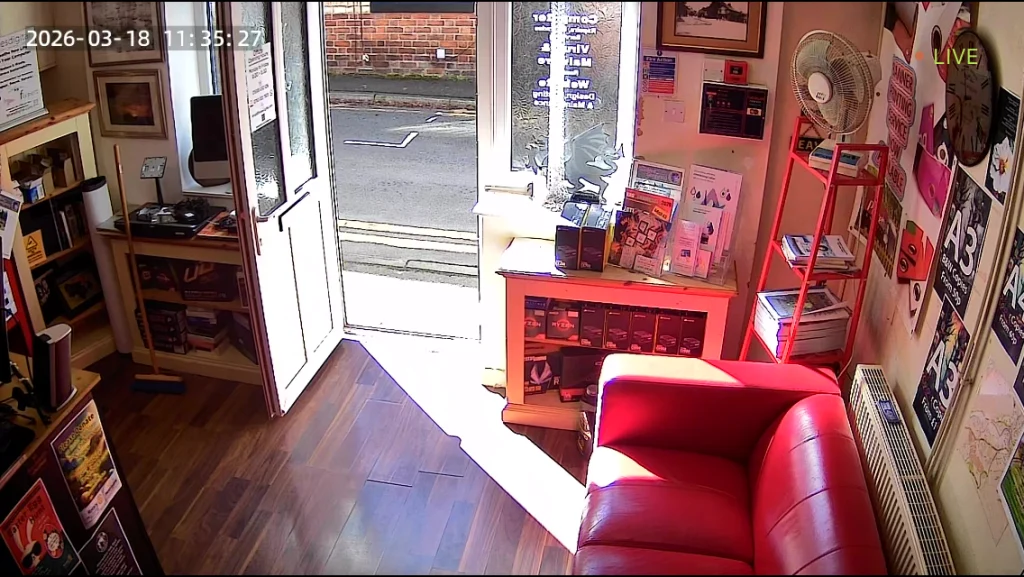
Checked the security feed this morning—no tricksters, just plenty of sunshine! ☀️

To VPN or Not to VPN? Honest Advice from Your Newtown Tech Specialists

A 3D minimalist graphic featuring a large blue padlock with a glowing blue digital light beam passing through it, representing a secure home internet connection and encrypted web browsing.

The short answer? For most people, you probably don’t need one.

If you aren’t travelling abroad or trying to access region-restricted content, you can likely save your money. For everyday browsing, shopping, and online banking at home, your standard internet connection is already very secure.


A Common Question at the Counter

I was chatting with a lovely pensioner I’ve known for years the other day. He’d seen the adverts and was wondering whether he should be paying extra for a VPN to stay safe online.

In my honest opinion? Unless you’re travelling and want access to UK services like iPlayer, or you have a specific technical reason, there’s usually no need for one.


Why the “Hype”?

You’ve probably seen the adverts suggesting that “hackers” are watching your every move. It’s clever marketing.

Modern security threats have changed. Most cybercriminals don’t “break in” — they are let in. They use social engineering, fake text messages, phishing emails, or convincing phone calls to trick people into handing over details.

A VPN is like installing a high-tech bolt on your front door. It’s useful in the right circumstances — but it won’t help if you open the door and hand a stranger your keys.

The biggest risks today aren’t unencrypted connections. They’re scams.

What Do the Experts Say?

The National Cyber Security Centre (NCSC) — the UK government’s official cybersecurity authority — focuses its advice to home users on strong passwords, two-factor authentication, software updates, and recognising phishing scams.

Their guidance makes it clear that the biggest risks to individuals come from social engineering and fraud — not from someone secretly intercepting an encrypted home broadband connection.

You can read their advice for individuals and families here:
https://www.ncsc.gov.uk/section/information-for/individuals-families


When a VPN Does Make Sense

There are situations where a VPN can be useful:

  • Using public Wi-Fi in cafés, hotels, or airports
  • Travelling abroad and needing access to UK services
  • Connecting securely to a work network
  • Privacy preferences where you don’t want your ISP seeing browsing metadata

But for typical home users browsing from their own Wi-Fi? It’s rarely essential.


If You Do Want One

If you’d simply like an extra layer of privacy, there’s no need for an expensive subscription.

My personal recommendation is Cloudflare WARP. It’s free, fast (we’ve tested it on 1Gb+ connections), and comes from a well-established infrastructure provider with a strong privacy reputation.

It’s worth noting that WARP is more of a privacy-focused secure connection service rather than a traditional “change your country” streaming VPN. If your only goal is to access region-locked TV services, a commercial VPN may be required — but most people don’t need that.

Link: https://one.one.one.one/


The Technical Bit (Without the Jargon)

For those curious about why VPNs are often unnecessary today:

  • Encryption is already standard. Nearly every website — especially banks and shopping sites — uses HTTPS. This means your data is already encrypted between your device and the website.
  • A VPN simply adds another encrypted layer between you and the VPN provider.
  • Be cautious with random “free VPN” apps. Many generate income by collecting and selling user data. If a service is free, always ask how it’s funded.

If you’re unsure whether a VPN makes sense for your setup, feel free to pop in or get in touch. We’re always happy to give honest advice — even if that advice is “don’t bother.”


Need Straight-Talking Advice?

At Bluesdigital, we believe tech should be simple and effective. Whether we’re managing your business website hosting or cleaning up a virus-infected laptop, our goal is the same as in this article: give you exactly what you need — no more, no less.

As your local Newtown tech specialists, we’re here to cut through the jargon. From secure home networks to reliable business hosting, we focus on practical solutions that genuinely make a difference.

If you’re unsure whether a VPN, antivirus package, or backup system makes sense for you, feel free to pop in for a chat. The coffee’s on — and the advice is honest.

☎️ 01686 610 106
📱 0783 222 7823
📍 Frolic House, Newtown

When a Tablet Needs a Fresh Start: Lenovo Tab M10

Tablet in workshop with purple ribbon, concept image for gifting and tech setup by Bluesdigital.

The Lenovo Tab M10 is a solid, reliable tablet – easy to use, good value, and ideal for everyday tasks like emails, browsing, streaming and video calls.

Recently, a lucky recipient received a Lenovo Tab M10 as a gift — what a great present to get! Tablets like this often find new homes, whether they’re brand new, pre-loved, or passed on from someone else.

What was the issue?

The tablet still had the previous user’s account signed in. When the new owner switched it on, it showed emails, apps, and other personal content. This can happen easily when someone sets up a device and then later gives it as a gift — it’s completely normal, and nothing that can’t be fixed.

The fix 💡

The advice was straightforward:

“Take it to Darren at Bluesdigital, he’s awesome and won’t rip you off.” – Thanks!!!

We carried out a full reset, removed the existing account, and set the Lenovo Tab M10 up cleanly for its new owner – secure, private, and ready to use ✔️

Why the Lenovo Tab M10 is a great gift 📱🎁

Lenovo Tab M10 tablet shown next to its box on a desk.

The Lenovo Tab M10 makes a really good gift:

  • Clear, bright display
  • Easy to use for all ages
  • Ideal for emails, YouTube, Zoom and web browsing
  • Lightweight and good value

Whether fresh out of the box or passed on, a proper setup is just around the corner.

👉 You can find more support like this with our computer services

📍 Need help with a tablet, laptop or PC?

Pop in and see us at Frolic House
(between Newtown Medical Practice and Newtown Driving Test Centre)

📞 Call: 01686 610 106
💬 Message: 0783 222 7823
😊🔧💻

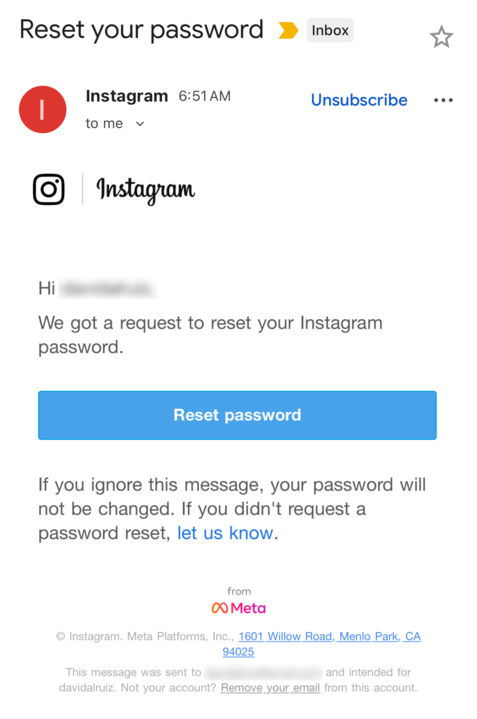
Breaking news:’Instagram security breach’

Instagram Security Breach. Safety advice

This week, an Instagram security breach was discovered when hackers stole the sensitive information of 17.5 million Instagram accounts. Complete with usernames, physical addresses, phone numbers, email addresses, and more, this data can be abused by cybercriminals to impersonate trusted brands, trick users, and steal their passwords.

Critically, this data is already being offered on the dark web, with individual users also receiving legitimate password reset notifications from Instagram.

What to do:

  • Beware of emails and messages that claim to come from Instagram, as they could be sent by malicious hackers trying to trick you into handing over your password.
  • If you’re concerned, sign into your Instagram account and reset your password to a new, strong, unique password.

Check if you were exposed
With a free scan from Malwarebytes’ Digital Footprint Portal, you can see if you were included in the Instagram breach. Simply enter the email address you used to register with Instagram and the free Digital Footprint scan will report your level of exposure online.

https://www.malwarebytes.com/digital-footprint

Why Is My Laptop Slow?

Computer repair shop in Newtown, Powys and a windows reinstall

Why Is My Laptop Slow? (And Why a Windows Reinstall Often Fixes It)

If you’ve ever asked “Why is my laptop slow?”, you’re not alone. It’s one of the most common questions we get at our computer repair shop in Newtown, Powys. There are several reasons a laptop becomes sluggish, but one of the quickest and most reliable fixes is often a clean Windows reinstall.

In this article, “Windows” refers to the Microsoft Windows operating system on laptops and PCs, not physical window installation.

Here’s what might be happening — and how a reinstall brings your computer back to life.


Common Reasons Your Laptop Runs Slowly

1. Too Many Startup Programmes

Some apps launch every time you start your laptop, using up RAM — the short-term memory your computer needs to work quickly. If the RAM is full before you’ve opened anything, everything slows down.

2. A Full or Ageing Storage Drive

If your hard drive (HDD) is old or nearly full, performance will drop. Traditional HDDs slow with age, while modern SSDs (Solid-State Drives) are far faster. If you’re still on an HDD, consider upgrading.

3. Malware or Adware

Unwanted software can run in the background, stealing processing power and causing random freezing or pop-ups. Even after a virus scan, hidden leftovers can remain.

4. Old Drivers or Missed Windows Updates

Drivers let your hardware communicate with Windows. Outdated or corrupted drivers can cause lag, crashes, or hardware issues.


Why Your Laptop Often Needs a Windows Reinstall

Even well-maintained computers collect clutter over time. A Windows reinstall resets everything to clean, fast, and fresh.

If you’re local, you can learn more about our professional Windows reinstall service in Newtown, Powys.

Here’s why it works so well:

1. It Removes “Software Rot”

As Windows ages, it builds up leftover files, broken registry entries, old system settings, and fragments of uninstalled programmes. Windows has to process all this clutter, slowing your laptop down. A reinstall wipes it clean.

2. It Replaces Corrupted System Files

Laptops slow down when key Windows files become damaged. A clean reinstall restores everything to factory condition.

3. It Clears Hidden Malware and Bloatware

Even after a virus scan, trackers, adware, pop-up scripts, and browser hijackers can remain. A reinstall deletes everything — even the stuff antivirus programmes miss.

4. It Resets Drivers Properly

Driver conflicts cause lag, freezing, Wi-Fi issues, and crashes. A reinstall replaces all drivers with the correct versions.

5. It Stops Useless Background Services

Over time, apps install background processes you never see. Many do nothing useful. A reinstall removes them, freeing up CPU and RAM.


A Real Example From Bluesdigital – Computer Repair Shop

Just last week, a customer from Newtown brought in a laptop that was taking six minutes to start up! They’d already tried removing old apps, running antivirus scans, and even “speed-up tools,” but nothing worked.

We performed a clean Windows reinstall, and the difference was incredible. The laptop now boots in under 20 seconds, apps open instantly, and the fan is quiet.

This kind of transformation is exactly why we recommend a reinstall when laptops get slow — it’s like giving your computer a fresh start.


Signs You Probably Need a Windows Reinstall

  • Slow startup times
  • Apps freezing or randomly closing
  • Loud fan noise even when idle
  • You’ve tried cleaning or uninstalling apps with no improvement
  • The laptop struggles with simple tasks
  • Lots of old files and forgotten downloads
  • Frequent errors or blue screens

If this sounds familiar, a reinstall is usually the fastest fix.


What You’ll Notice After a Clean Reinstall

  • Faster boot times
  • Smoother performance
  • Longer battery life
  • Fewer crashes
  • More available storage
  • A laptop that feels almost new again

FAQ: Fixing a Slow Laptop

Why is my laptop slow all of a sudden?
Sudden slowdowns are often caused by Windows updates, malware, or a failing hard drive.

Will a Windows reinstall delete my files?
A clean reinstall resets everything. We always offer full data backup before we start.

How long does a reinstall take?
Usually 1–2 hours, depending on updates and driver installation.

Do I need more RAM?
If your laptop has 4GB RAM, upgrading to 8GB or 16GB can help — but a reinstall should come first.

Is it worth reinstalling Windows on an old laptop?
Yes. Even older machines often feel dramatically faster after a clean reinstall.


Serving Newtown, Powys and Surrounding Areas

If your laptop or PC is running slowly and you live in Newtown, Powys, or nearby areas such as Welshpool, Llanidloes, Caersws, or Montgomery, we can help.

If a clean Windows reinstall is the right solution, we’ll back up your data, reinstall Windows properly, and get your computer running fast again.

We also offer:

✔ Virus and malware removal
✔ SSD upgrades
✔ Full diagnostics
✔ Data backup and recovery

Bring your laptop to our workshop today — or contact us to book a repair. Can’t get to us? Check out our pick-up and drop-off service 🙂

🌐Yes, We Can Help!

Unlocking Potential: How Bluesdigital is Here to Help You Thrive

In today’s fast-paced digital landscape, having a reliable partner can make all the difference. At Bluesdigital, we pride ourselves on being that partner for businesses & individuals looking to enhance their online presence and drive growth. Our commitment to helping our clients succeed is at the core of everything we do.

Tailored Solutions for Every Need

We understand that every client is unique, which is why we offer customized solutions that cater to your specific needs. Whether you’re looking for Computer Equipment, web development, digital marketing, or e-commerce solutions, We are dedicated to providing strategies that align with your goals. We take the time to listen and understand your challenges, ensuring that our solutions are not just effective but also relevant.

Expert Guidance and Support

Navigating the digital world can be overwhelming, but you don’t have to do it alone. We are here to guide you every step of the way. From initial consultations to ongoing support, we are committed to being a resource you can rely on. Our goal is to empower you with the tools and knowledge you need to make informed decisions and achieve lasting success.

Results-Driven Approach

At Bluesdigital, we believe in delivering results. Our data-driven strategies are designed to maximize your return on investment and help you reach your target audience effectively. We continuously analyse and optimize our efforts to ensure that you’re not just keeping up with the competition but staying ahead of it.

Need Proper Digital Business Support in Newtown?

Don’t let a dodgy website or outdated kit slow you down. At Bluesdigital, we’ve spent years helping locals turn tech headaches into growth. Whether you need a fresh e-commerce site or a fleet of reliable laptops, we provide the tools to help you thrive.

No jargon, just honest advice and results that speak for themselves.

Shout if you’re ready to start. 01686 610 106 | 0783 222 7823 Frolic House, Newtown

Private, Useful, and Optional AI Chatbot

DuckDuckGo offers free access to popular AI chatbots at Duck.ai and expands AI-assisted answers on its search engine.

All the productivity benefits of AI without the privacy risks.

  • DuckDuckGo AI chat offers privacy, no user data used to train models, and a bare-bones text-only experience.
  • Access multiple large language models, even open-source ones like Llama 3 and Mixtral, without high-end hardware requirements.
  • The AI chat provides a unique balance of functionality and privacy, best for those desiring a secure, private AI chat experience.

DuckDuckGo‘s AI chatbot promises the same AI chatbot features as popular large language models, with none of the creepy privacy issues. Here’s how to make the most of this feature.

DuckDuckGo’s AI Chat Feature Explained

The DuckDuckGo AI chat feature allows you to engage with various large language models while maintaining you privacy. When using these models, your data isn’t used to train them. This ensures a private experience, which is a nice bonus!

The chat boasts many standard features, such as answering questions when searching on DuckDuckGo, and an interactive chat window. It offers a bare-bones, text-only experience with no multimedia support. The AI chat also includes a “burn” mode, allowing users to erase conversations at any time quickly.

You Get Access to Multiple AI Models

Unlike Meta’s AI, OpenAI’s ChatGPT, or Google’s Gemini, the DuckDuckGo AI chat offers users access to a multitude of large language models, including both closed-source and open-source options. Currently, users can engage with ChatGPT 3.5, ChatGPT 4.0-mini, Llama 3, Claude, and Mixtral.

Best of all, models like Llama 3 and Mixtral, which are open-source, typically require significant high-end hardware resources. However, the DuckDuckGo AI chat tool enables anyone to run these robust, open-source models directly in their browser without needing to configure anything.

To access these AI models, load up DuckDuckGo and initiate a search. When searching for something, AI will appear in the search results. Click the chat icon to begin a chat, and DuckDuckGo will ask you what model you’d like to use.

Choose your preferred AI model and begin chatting. At any time, if you want to switch models, click on the settings button next to the active model, and you can then select an alternative chat model to use.

Comparison with Other AI Chat Implementations

In comparison to other AI chat implementations, DuckDuckGo is a mixed bag. On one hand, by using ChatGPT (and other models) this way, you miss out on things like “memory,” and chat histories. You also miss out on uploading images to the AI chat and image generation.

That said, if you can get past these missing features, and just want a really robust text chat, the DuckDuckGo implementation is the best. You get a private chat that no AI company can record or use for training data, while still gaining the ability to have it help you with things like code, configuration files, cooking, brainstorming, etc.

Ultimately, DuckDuckGo’s AI chat strikes a unique balance between great functionality and privacy. While you might not get all the bells and whistles you’d expect with a paid ChatGPT account, its robust text capabilities and commitment to privacy make it the best option for experiencing ChatGPT and other large language models, especially for those seeking a secure and private AI chat experience.

Choosing the Right AI Model for Your Needs

Each of the models available inside the DuckDuckGo AI Chat app serves specific needs. It all depends on what you’re trying to accomplish with the DuckDuckGo AI chat.

  • Choose GPT 4.0-mini if you need a general-purpose AI model to accomplish tasks with a balance of accuracy and speed.
  • Opt for Claude 3 if you need to generate creative content like poems or dialogues with an artistic tone.
  • Try out Llama 3 if you need more advanced and contextually aware responses.
  • Or, select Mixtral if you require a versatile model that can fit into most situations.

Now that you know about the features and strengths of each model, it’s time to explore the DuckDuckGo AI Chat app. Try out each of the models and experiment with different prompts and tasks to discover which AI model works best for you.

Keep Your Data Private and Your Devices Healthy. Using DuckDuckGo for a private AI chat is a great first step in reclaiming your digital privacy. But if your actual computer is acting up or showing “creepy” warnings, don’t leave it to chance. Bring it to us for a professional diagnostic. We’ll check your security and performance with our No Fix, No Fee promise. If we can’t solve the fault, you don’t pay a penny.

01686 610 106 | 0783 222 7823 Frolic House, Newtown

Fortect – Scam Or Safe?

My Opinion

When you have a Computer, Printer or Tech problem, Doing a quick Google search can easily lead you to Apps like Fortect, Driver Updater etc etc

Yes, some of these apps can reinstall a printer driver, But I have clients who have been charged up to £170 from disreputable software companies, taking advantage of the less initiated computer user.

Software similar to this has also been known to leave spyware hidden on your machines, and worse.

Please don’t believe all the reviews online, lots of them seem to be posted by people affiliated with Fortect getting paid to promote Fortect & other “Wonder Tools”

User reviews through sites such as Trustpilot are also largely favourable, with a majority of 5-star reviews. This alone raises concerns for me. Human nature dictates that most folk will only submit a review when they have something to complain about and are much less likely to submit a review if everything goes to plan with no issues at all.
This abundance of 5-star reviews for Fortect does raise suspicions of fake reviews.

UPDATE: Fortect has offices in Israel, Philippines & Germany.

In my opinion, Fortect displays traits of a scan-and-bait scenario.
I would suggest that you avoid Fortect.


From Chat GPT:

While Fortect may offer various benefits, there are some potential negatives and criticisms associated with the software and the company that owns it:

  1. Mixed Reviews: Users often have mixed experiences with Fortect. Some may find it effective for system optimization, while others report limited improvements or issues with the software’s functionality.
  2. Aggressive Marketing: Some users have criticized the company’s marketing tactics, describing them as aggressive or misleading. This can lead to frustration, especially if users feel pressured to purchase the software.
  3. Subscription Model: Fortect may operate on a subscription basis, which can be a downside for users who prefer one-time purchases. Ongoing costs can add up over time.
  4. Performance Impact: In some cases, users have reported that the software can slow down their systems during scans or updates, which can be counterproductive to its intended purpose.
  5. Customer Support: There are mixed reviews regarding customer support. Some users have reported difficulties in getting timely assistance or satisfactory resolutions to their issues.
  6. Privacy Concerns: As with many software solutions, there may be concerns about data privacy and how user information is handled.

It’s important to consider these factors and read a variety of user reviews to get a comprehensive understanding of the software and the company’s reputation. If you’re considering using Fortect, it may be helpful to weigh the pros and cons based on your specific needs and experiences.


https://www.scam-detector.com/validator/fortect-com-review

https://www.bleepingcomputer.com/forums/t/790369/thoughts-on-fortect