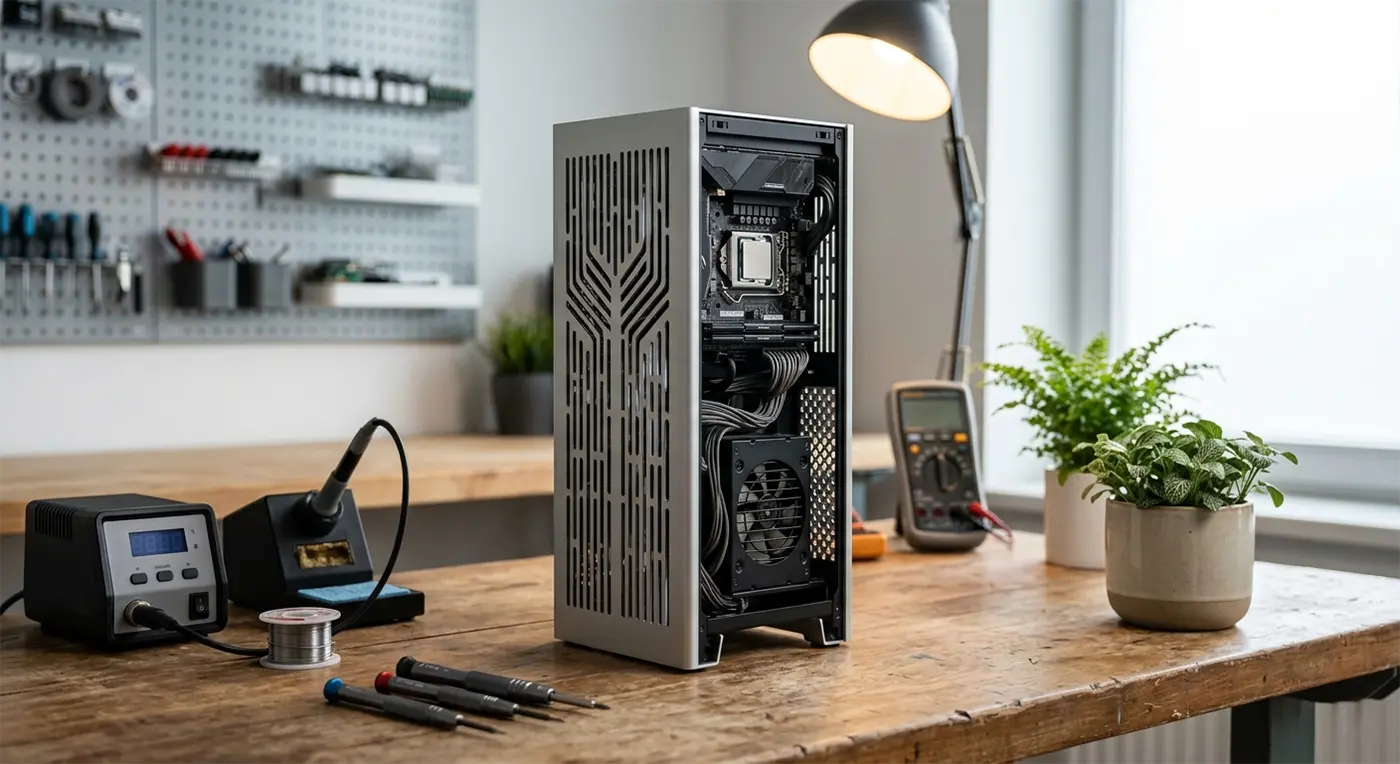
After recently completing a custom Golf Simulator PC for a long-time customer’s man cave, Bluesdigital was soon asked to take on another project — this time, a compact Media PC for his son.
The brief? Something powerful, smart-looking and small enough to fit neatly into a living-room or media setup.
For this build, we went with the taller version of the Kolink Rocket Complex MINI-ITX. Partly because of its clever thermal design, and partly because it seemed only right to reflect the height difference between father and son! 🤣
So, here’s a behind-the-scenes look at how we turned a very small case into a surprisingly capable custom PC build.
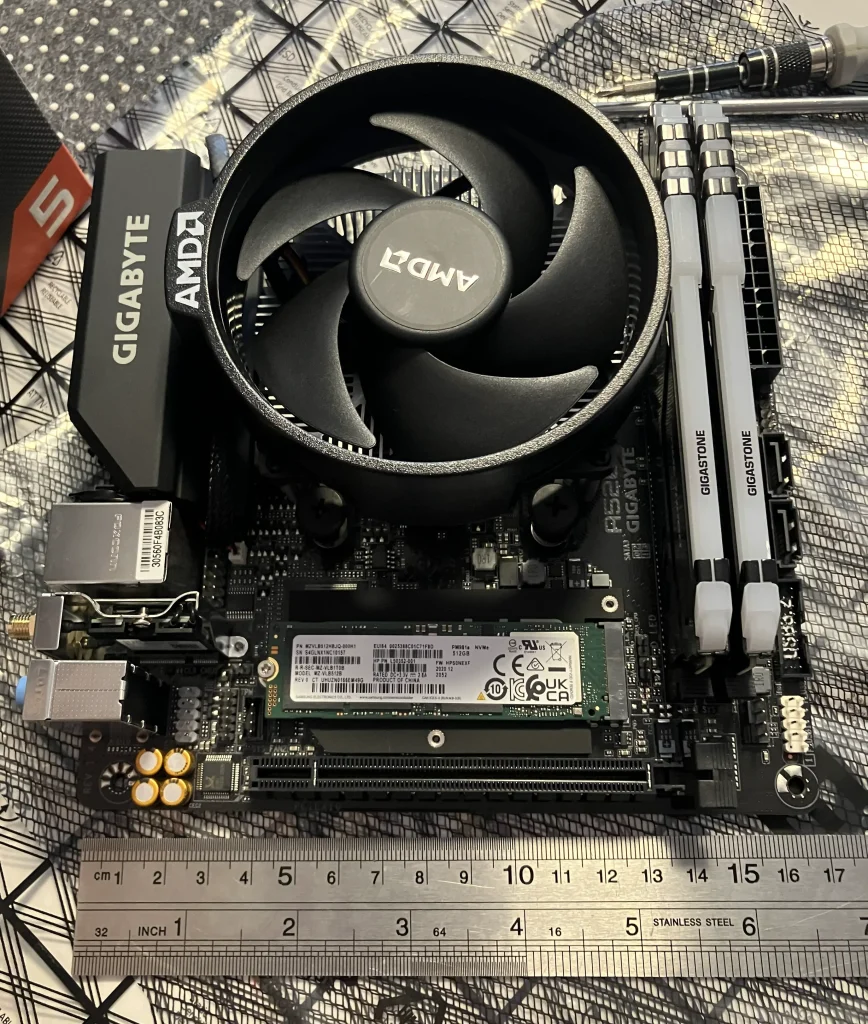

Building Big Performance Into a Small Space
Small-form-factor (SFF) PC builds are all about making clever use of every millimetre.
There’s less room to work with, components need to be carefully selected and cable management becomes considerably more important. Get it right, though, and you can have a powerful PC that takes up remarkably little space.
For this project, the Kolink Rocket Complex was a great fit. Its compact footprint and premium aluminium design give it a refined appearance that works particularly well in a home media setup.
1. Choosing the Right Chassis
With a compact build, the case isn’t simply something the components go into — it plays a major part in how the whole system performs.
The Rocket Complex provides a small footprint while incorporating extensive ventilation, giving the components the airflow they need without compromising the clean appearance of the finished PC.
2. The Art of Cable Management
This is where compact PC building gets interesting.
Inside a standard desktop tower, there’s usually plenty of room to hide cables. Inside a Mini-ITX case, every cable has somewhere it needs to go.
The Rocket Complex required careful planning and precise cable routing to keep everything tidy and minimise unnecessary obstruction around the components and airflow paths.
It’s one of those jobs that isn’t particularly glamorous — but it makes a huge difference to the finished build.
3. Smart Cooling & Airflow
One of the biggest considerations when building a small PC is heat.
A smaller enclosure doesn’t necessarily mean a hotter computer, but it does mean that airflow and component selection need to be considered carefully from the start.
The Rocket Complex’s ventilated panels and compact internal layout were designed with airflow in mind, while the components selected for this build provide a good balance between performance, efficiency and heat output.
The result is a compact system designed to quietly get on with its job rather than demanding attention from across the room.
It was a ton of fun building this awesome machine, and a huge thank you to my client for trusting me with another project. I really appreciate it!
💡 Did You Know?
There’s a bit of physics hiding inside a vertical PC!
The Kolink Rocket Complex‘s tall tower design makes us think of something called the Chimney Effect, or stack effect. Warm air naturally rises because it is less dense than cooler air, creating an upward movement of air.
In a PC, good airflow is a combination of natural convection, ventilation and carefully positioned fans. The Rocket Complex’s vertical design and extensive ventilation help make clever use of the space — while its fans do the hard work of keeping air moving.
Pretty cool, right? 🤓
4. Built With Reliability in Mind
At Bluesdigital, we don’t believe a custom PC should simply look good on the day it leaves the workshop.
The components need to work well together, the system needs to be properly tested and the build needs to make sense for how the customer is actually going to use it.
For this project, we paired the AMD Ryzen 5 3400G and Nvidia GeForce RTX 3050 with 32GB of RAM, fast NVMe storage and a Corsair SF750 80+ Platinum power supply.
That’s a serious power supply for such a small machine — but reliable, efficient power delivery is an area where cutting corners will come back to haunt you.
The Build Specifications
- Case: Kolink Rocket Complex MINI-ITX
- Processor: AMD Ryzen 5 3400G
- Graphics: Nvidia GeForce RTX 3050
- Motherboard: Gigabyte A520 I-AC Mini-ITX
- Memory: 32GB Gigastone DDR4 RAM
- Storage: 2TB Crucial P310 NVMe SSD
- Power Supply: Corsair SF750 (80+ Platinum)
Why Go for a Custom PC Build?
Buying an off-the-shelf computer can certainly be convenient, but it often means accepting whatever combination of components, case and specifications the manufacturer has chosen.
A custom PC gives you the opportunity to build around what you actually need.
For this project, that meant creating a compact system that could deliver plenty of performance without taking over the room.
With a Bluesdigital custom PC build, we can consider:
- Performance: Components selected around how you intend to use the PC.
- Space: From compact Mini-ITX systems to larger desktop builds, the physical footprint matters.
- Cable Management: Careful routing helps keep the interior tidy and airflow paths clear.
- Future Upgrades: Components can be selected with potential upgrades and longevity in mind.
- Testing: The completed system is checked before it leaves our workbench.
Frequently Asked Questions
Are Mini-ITX PCs harder to upgrade?
They can be more restrictive than a larger desktop because there is simply less physical space inside the case.
However, a carefully planned Mini-ITX build can still allow for upgrades to components such as memory, storage and graphics, depending on the specific case and motherboard.
That’s why planning the build around both your current needs and potential future requirements is important.
Do small PCs overheat easily?
Not necessarily.
Good airflow, sensible component selection and careful assembly are particularly important in a compact PC. A well-designed small-form-factor system can manage heat very effectively.
The key is to design the whole system as a package rather than simply trying to squeeze powerful components into the smallest possible box.
Looking for a Custom PC Build in Newtown or Mid Wales?
Whether you’re after a compact Media PC, a gaming machine, a workstation or something completely bespoke, Bluesdigital can design and build a PC around your requirements.
We’re based in Newtown, Powys, and work with customers across Mid Wales.
If you’ve got an idea for your next PC build — even if you’re not quite sure what’s possible — pop into the shop or get in touch with Bluesdigital and let’s talk about it.