
To VPN or Not to VPN? Honest Advice from Your Newtown Tech Specialists

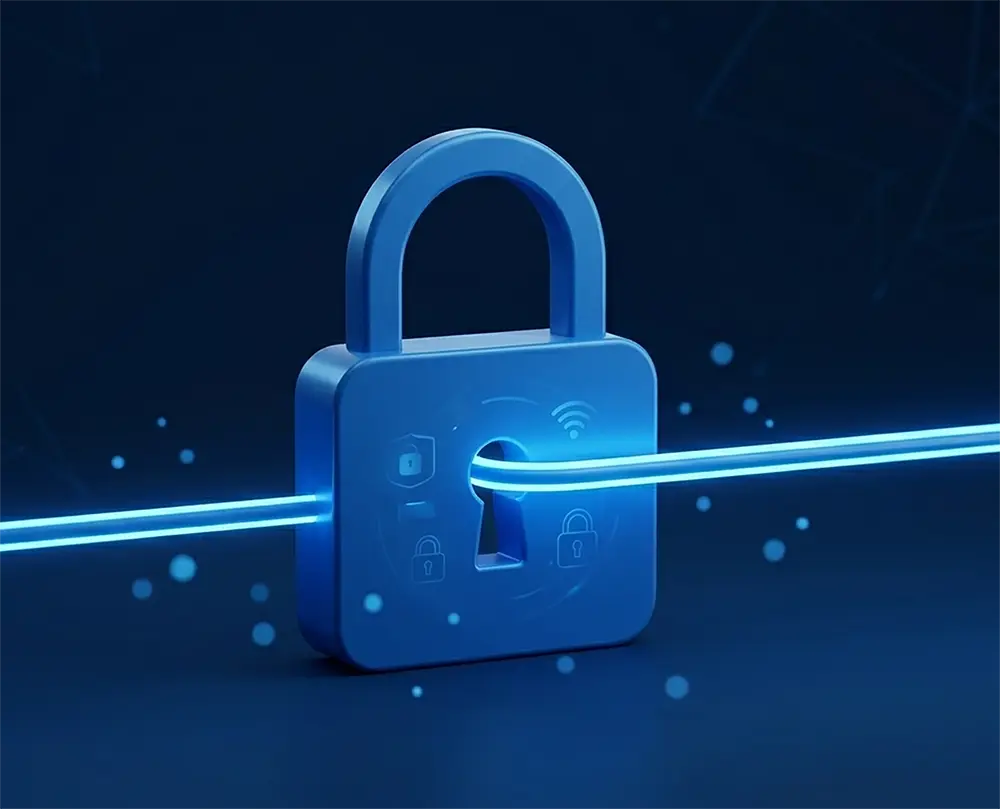
A 3D minimalist graphic featuring a large blue padlock with a glowing blue digital light beam passing through it, representing a secure home internet connection and encrypted web browsing.

The short answer? For most people, you probably don’t need one.

If you aren’t travelling abroad or trying to access region-restricted content, you can likely save your money. For everyday browsing, shopping, and online banking at home, your standard internet connection is already very secure.


A Common Question at the Counter

I was chatting with a lovely pensioner I’ve known for years the other day. He’d seen the adverts and was wondering whether he should be paying extra for a VPN to stay safe online.

In my honest opinion? Unless you’re travelling and want access to UK services like iPlayer, or you have a specific technical reason, there’s usually no need for one.


Why the “Hype”?

You’ve probably seen the adverts suggesting that “hackers” are watching your every move. It’s clever marketing.

Modern security threats have changed. Most cybercriminals don’t “break in” — they are let in. They use social engineering, fake text messages, phishing emails, or convincing phone calls to trick people into handing over details.

A VPN is like installing a high-tech bolt on your front door. It’s useful in the right circumstances — but it won’t help if you open the door and hand a stranger your keys.

The biggest risks today aren’t unencrypted connections. They’re scams.

What Do the Experts Say?

The National Cyber Security Centre (NCSC) — the UK government’s official cybersecurity authority — focuses its advice to home users on strong passwords, two-factor authentication, software updates, and recognising phishing scams.

Their guidance makes it clear that the biggest risks to individuals come from social engineering and fraud — not from someone secretly intercepting an encrypted home broadband connection.

You can read their advice for individuals and families here:
https://www.ncsc.gov.uk/section/information-for/individuals-families


When a VPN Does Make Sense

There are situations where a VPN can be useful:

  • Using public Wi-Fi in cafés, hotels, or airports
  • Travelling abroad and needing access to UK services
  • Connecting securely to a work network
  • Privacy preferences where you don’t want your ISP seeing browsing metadata

But for typical home users browsing from their own Wi-Fi? It’s rarely essential.


If You Do Want One

If you’d simply like an extra layer of privacy, there’s no need for an expensive subscription.

My personal recommendation is Cloudflare WARP. It’s free, fast (we’ve tested it on 1Gb+ connections), and comes from a well-established infrastructure provider with a strong privacy reputation.

It’s worth noting that WARP is more of a privacy-focused secure connection service rather than a traditional “change your country” streaming VPN. If your only goal is to access region-locked TV services, a commercial VPN may be required — but most people don’t need that.

Link: https://one.one.one.one/


The Technical Bit (Without the Jargon)

For those curious about why VPNs are often unnecessary today:

  • Encryption is already standard. Nearly every website — especially banks and shopping sites — uses HTTPS. This means your data is already encrypted between your device and the website.
  • A VPN simply adds another encrypted layer between you and the VPN provider.
  • Be cautious with random “free VPN” apps. Many generate income by collecting and selling user data. If a service is free, always ask how it’s funded.

If you’re unsure whether a VPN makes sense for your setup, feel free to pop in or get in touch. We’re always happy to give honest advice — even if that advice is “don’t bother.”


Need Straight-Talking Advice?

At Bluesdigital, we believe tech should be simple and effective. Whether we’re managing your business website hosting or cleaning up a virus-infected laptop, our goal is the same as in this article: give you exactly what you need — no more, no less.

As your local Newtown tech specialists, we’re here to cut through the jargon. From secure home networks to reliable business hosting, we focus on practical solutions that genuinely make a difference.

If you’re unsure whether a VPN, antivirus package, or backup system makes sense for you, feel free to pop in for a chat. The coffee’s on — and the advice is honest.

☎️ 01686 610 106
📱 0783 222 7823
📍 Frolic House, Newtown
From Wind, Water & Sunshine to Your Website

At Bluesdigital, we’re excited to share some big updates about our hosting services and the values driving our business forward.

Running on Good Energy

We’re proud to say our server host offsets 100% of its electricity usage through renewable energy credits. By tapping into solar, wind, and hydropower, we’re keeping our hosting fast, reliable, and lighter on the planet.

Doing Our Bit

Sustainability goes beyond just powering servers. Our hosting partner has rolled out carbon reduction programs that cut greenhouse gas emissions. They’ve also been recognized for initiatives like tree planting and support for environmental charities—steps that help all of us share in a healthier future.

We also understand that renewable energy isn’t without its challenges, and not everyone agrees on the best way forward. Different approaches come with different trade-offs, and the transition isn’t always smooth. For us at Bluesdigital, doing our part means making practical choices that balance performance, reliability, and responsibility—so our clients can benefit today while we build toward a stronger tomorrow.

Growing Together

Our client base is always growing—from full-scale e-commerce operations to local tradespeople who rely on fast, reliable services. To keep pace, we’ve invested in infrastructure that ensures:

  • Lightning-fast response times for websites and email
  • Consistent uptime and reliability
  • Top-tier data services for our local community

This investment means your online presence stays smooth, secure, and ready for what’s ahead.

Under the Hood

For our tech-savvy friends, here’s what’s powering Bluesdigital hosting:

  • 32 CPU Cores
  • 32GB RAM
  • Cutting-edge NVMe storage for blazing fast speeds
  • Imunify360 security providing industry-leading protection for websites, servers, and email

These specs put our servers among the fastest in the business—performance you can feel with peace of mind built in.

A Word of Thanks 💙

No upgrade comes without a few bumps along the way. We want to thank our amazing clients for their patience and support as we ironed out the wrinkles. Your trust allows us to keep improving, and we are enormously appreciative of that.

Here’s to faster, greener, and more secure hosting—today and into the future.

🌐Yes, We Can Help!

Unlocking Potential: How Bluesdigital is Here to Help You Thrive

In today’s fast-paced digital landscape, having a reliable partner can make all the difference. At Bluesdigital, we pride ourselves on being that partner for businesses & individuals looking to enhance their online presence and drive growth. Our commitment to helping our clients succeed is at the core of everything we do.

Tailored Solutions for Every Need

We understand that every client is unique, which is why we offer customized solutions that cater to your specific needs. Whether you’re looking for Computer Equipment, web development, digital marketing, or e-commerce solutions, We are dedicated to providing strategies that align with your goals. We take the time to listen and understand your challenges, ensuring that our solutions are not just effective but also relevant.

Expert Guidance and Support

Navigating the digital world can be overwhelming, but you don’t have to do it alone. We are here to guide you every step of the way. From initial consultations to ongoing support, we are committed to being a resource you can rely on. Our goal is to empower you with the tools and knowledge you need to make informed decisions and achieve lasting success.

Results-Driven Approach

At Bluesdigital, we believe in delivering results. Our data-driven strategies are designed to maximize your return on investment and help you reach your target audience effectively. We continuously analyse and optimize our efforts to ensure that you’re not just keeping up with the competition but staying ahead of it.

Need Proper Digital Business Support in Newtown?

Don’t let a dodgy website or outdated kit slow you down. At Bluesdigital, we’ve spent years helping locals turn tech headaches into growth. Whether you need a fresh e-commerce site or a fleet of reliable laptops, we provide the tools to help you thrive.

No jargon, just honest advice and results that speak for themselves.

Shout if you’re ready to start. 01686 610 106 | 0783 222 7823 Frolic House, Newtown

Private, Useful, and Optional AI Chatbot

DuckDuckGo offers free access to popular AI chatbots at Duck.ai and expands AI-assisted answers on its search engine.

All the productivity benefits of AI without the privacy risks.

  • DuckDuckGo AI chat offers privacy, no user data used to train models, and a bare-bones text-only experience.
  • Access multiple large language models, even open-source ones like Llama 3 and Mixtral, without high-end hardware requirements.
  • The AI chat provides a unique balance of functionality and privacy, best for those desiring a secure, private AI chat experience.

DuckDuckGo‘s AI chatbot promises the same AI chatbot features as popular large language models, with none of the creepy privacy issues. Here’s how to make the most of this feature.

DuckDuckGo’s AI Chat Feature Explained

The DuckDuckGo AI chat feature allows you to engage with various large language models while maintaining you privacy. When using these models, your data isn’t used to train them. This ensures a private experience, which is a nice bonus!

The chat boasts many standard features, such as answering questions when searching on DuckDuckGo, and an interactive chat window. It offers a bare-bones, text-only experience with no multimedia support. The AI chat also includes a “burn” mode, allowing users to erase conversations at any time quickly.

You Get Access to Multiple AI Models

Unlike Meta’s AI, OpenAI’s ChatGPT, or Google’s Gemini, the DuckDuckGo AI chat offers users access to a multitude of large language models, including both closed-source and open-source options. Currently, users can engage with ChatGPT 3.5, ChatGPT 4.0-mini, Llama 3, Claude, and Mixtral.

Best of all, models like Llama 3 and Mixtral, which are open-source, typically require significant high-end hardware resources. However, the DuckDuckGo AI chat tool enables anyone to run these robust, open-source models directly in their browser without needing to configure anything.

To access these AI models, load up DuckDuckGo and initiate a search. When searching for something, AI will appear in the search results. Click the chat icon to begin a chat, and DuckDuckGo will ask you what model you’d like to use.

Choose your preferred AI model and begin chatting. At any time, if you want to switch models, click on the settings button next to the active model, and you can then select an alternative chat model to use.

Comparison with Other AI Chat Implementations

In comparison to other AI chat implementations, DuckDuckGo is a mixed bag. On one hand, by using ChatGPT (and other models) this way, you miss out on things like “memory,” and chat histories. You also miss out on uploading images to the AI chat and image generation.

That said, if you can get past these missing features, and just want a really robust text chat, the DuckDuckGo implementation is the best. You get a private chat that no AI company can record or use for training data, while still gaining the ability to have it help you with things like code, configuration files, cooking, brainstorming, etc.

Ultimately, DuckDuckGo’s AI chat strikes a unique balance between great functionality and privacy. While you might not get all the bells and whistles you’d expect with a paid ChatGPT account, its robust text capabilities and commitment to privacy make it the best option for experiencing ChatGPT and other large language models, especially for those seeking a secure and private AI chat experience.

Choosing the Right AI Model for Your Needs

Each of the models available inside the DuckDuckGo AI Chat app serves specific needs. It all depends on what you’re trying to accomplish with the DuckDuckGo AI chat.

  • Choose GPT 4.0-mini if you need a general-purpose AI model to accomplish tasks with a balance of accuracy and speed.
  • Opt for Claude 3 if you need to generate creative content like poems or dialogues with an artistic tone.
  • Try out Llama 3 if you need more advanced and contextually aware responses.
  • Or, select Mixtral if you require a versatile model that can fit into most situations.

Now that you know about the features and strengths of each model, it’s time to explore the DuckDuckGo AI Chat app. Try out each of the models and experiment with different prompts and tasks to discover which AI model works best for you.

Keep Your Data Private and Your Devices Healthy. Using DuckDuckGo for a private AI chat is a great first step in reclaiming your digital privacy. But if your actual computer is acting up or showing “creepy” warnings, don’t leave it to chance. Bring it to us for a professional diagnostic. We’ll check your security and performance with our No Fix, No Fee promise. If we can’t solve the fault, you don’t pay a penny.

01686 610 106 | 0783 222 7823 Frolic House, Newtown

🤯 “Just wanna Pick your Brains….” 💭

Well it’s been one of my busiest weeks ever for “Brain Picking” calls & visits.
Here’s a few highlights!

“My Hard Drive is making strange ticking noises, and my computer is going really slow”

Firstly, backup all your files & data ASAP, as it sounds like your hard drive is on it’s last legs & may be failing.
Once you have your stuff safely backed up, you can download a very useful tool called CrystalDiskInfo.
https://crystalmark.info/en/software/crystaldiskinfo/

It will give you a very quick diagnosis of the health of any hard drive/SSD or USB drive connected to your system.


“My Printer has stopped working since changing broadband suppliers”

As you have changed suppliers, you have probably got a new Router/Modem ?….. Yes!
In that case you will have to re-install/connect the printer to your WiFi, like when you first got it.
There should be a WiFi/Wireless configuration Icon or Button on the Printer.
If you need a guide, the Printer manufacturers website should have one available. Look for “Quick Start Guide” or similar.


“My Laptop has frozen and I can’t shut it down”

Just pulling the plug, like you can do on a desktop pc, is out of the question as a laptop has an internal battery!
And as most (maybe all nowadays) have the battery secreted away under the bottom cover, it can be a bit fiddly to take it out safely & quickly.

The easiest way to shut any type of computer down if it’s being grumpy, is to hold the power button down for 5-10 seconds, and it should shut down completely. If it just comes back to the frozen screen, you didn’t hold it down long enough, Try Again!


“Where’s Disk Clean-up Gone??”

Ah, Windows 11 hiding useful stuff again. Click on the “Start” button, in the little search box at the top start typing Disk Clean and it should appear in the menu, where you can pin it to your start menu for easy access.


“Why is my internet so slow ?”

There’s so many reasons for your internet speed slowing down. It could be your supplier having issues, Dodgy phone lines, Router/Modem problems, and that’s before the list of computer problems that can cause this.

First thing to check is your computer/device. Does it take forever to start & shutdown, open programs etc? If yes, your computer could be the reason, and probably needs a little TLC.

If the computer/device starts & runs well, test the internet speed by going to www.fast.com & see if you are getting what you pay for.
Bear in mind though, that if you are using WiFi, a low signal between you and your router/modem will slow things down quite significantly.
Connecting your device via Ethernet (Cat5/6) cable directly to your router/modem will get a more accurate speed test.

If the speed is below what you are supposed to get, contact your broadband supplier to get things checked out.


“Do I have to get rid of my Windows 10 Computer now it’s coming to an end, and won’t upgrade to Windows 11 ?”

I get this question on a daily basis. In most cases no. As long as you are using a decent anti-virus, you’ll have a few years left in the old beast yet!
As time goes by, things like Google Chrome & MS Edge may refuse to update, but that’s at least 2-5 years away.


“Where have all the options gone when I right click on stuff ?”

At the bottom of the list is the “Show More Options” button, Sneaky Win 11…

There’s a few ways to disable the truncated context menus, but make sure it’s someone who knows what they are doing!

Here’s a good article on Tom’s Hardware if you fancy a tinker..https://www.tomshardware.com/how-to/windows-11-classic-context-menus


Always glad to help 👍

🛜 Broadband Social Tariffs 💻

Did you know that you may be eligible for a discounted broadband service?

If you are in receipt of certain benefit’s (like Universal Credit and Pension Credit), you may qualify for a substantial discount on your internet connection.

Here’s a link to a very good article by Which? that could help you save a lot of money!

Article Link: All you need to know about broadband social tariffs: Which?

or copy/paste:

https://www.which.co.uk/reviews/broadband/article/all-you-need-to-know-about-broadband-social-tariffs-awnIU5c9XS7G#full-list-of-broadband-social-tariffs-and-providers

The article has a list of all the suppliers that offer a “Social Tariff”, but even if your supplier is not listed or you are a different benefit to those shown, It’s worth giving your provider a call to ask what help may be available during this cost of living crisis.

We’re going Ultrafast….At Last!

An image depicting high speed fibre broadband connections within a city

They have finished the upgrade to Full Fibre here on Frolic Street in Newtown, so I’ve booked Bluesdigital in for a major speed increase.

Next month will see a big jump from our already reasonable 80Mb internet connection to just over 1Gbps. This will allow us to work faster & help us to develop even more services to assist our clients.

Zoom, Zoom!

BTW, we’ve been using TalkTalk Business for our connection for over 10 Years, and have always rec’d great customer service. If you may be interested in changing over to them, click on the following link, and we could both get up to £200 of Amazon vouchers!

LINK: https://refer.talktalk.co.uk/Rl82y5