Case Study: The “Invincible” Mac vs. Modern Malware

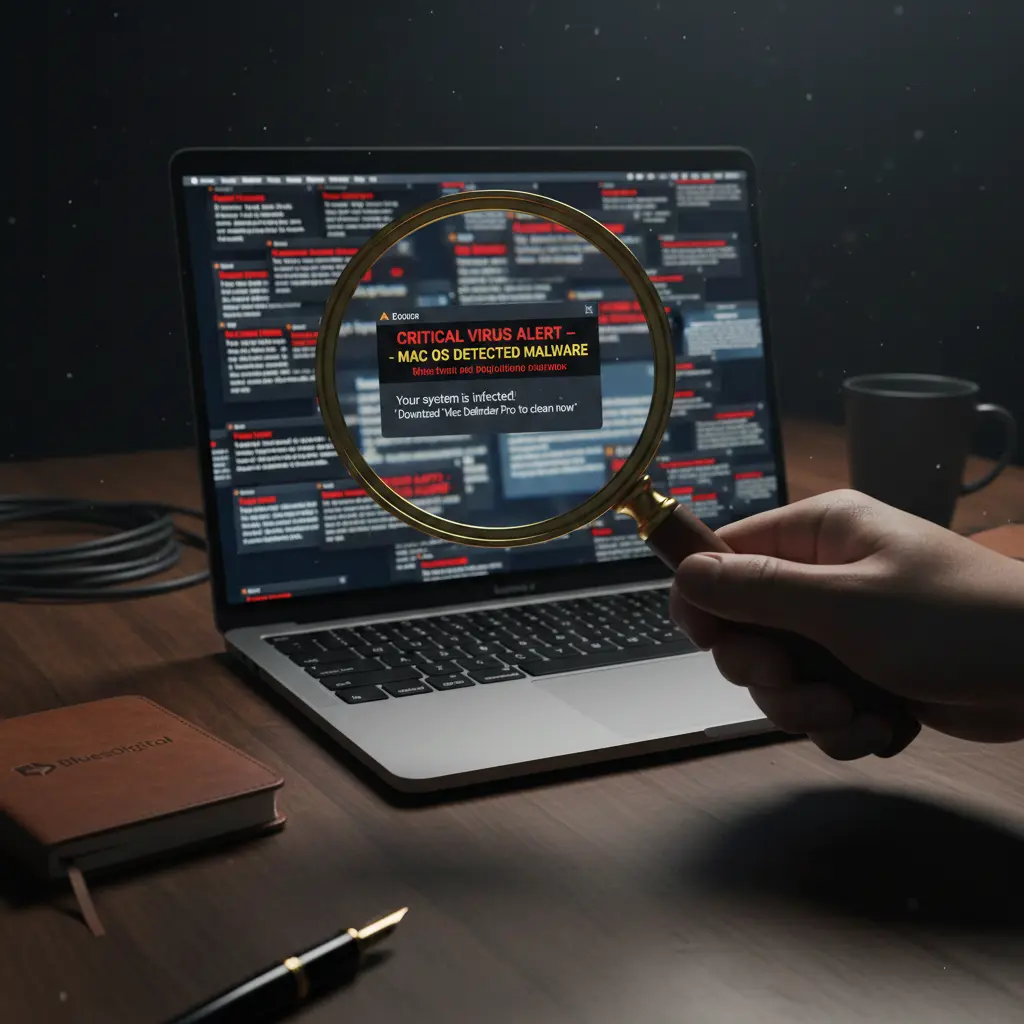
A magnifying glass inspecting a MacBook Air screen filled with fake virus pop-ups, representing a malware investigation by Bluesdigital in Newtown.

It’s one of the most persistent myths in the tech world: “Macs don’t get viruses.”

While Apple builds a robust cage around its operating system, the “bad guys” have simply started building better lock-picks. This week at Bluesdigital, we saw a perfect example of why Mac users need to stay vigilant.

The Situation: A MacBook Air M2 Meltdown

A client brought in a beautiful MacBook Air M2 that had become virtually unusable. The machine was suffering from a digital “meltdown,” characterised by:

  • Hundreds of aggressive pop-ups claiming the system was infected.
  • Fake “Critical Mac OS Update” warnings designed to trick the user into clicking.
  • Total Access Block: The malware was so aggressive it was obstructing the lock screen and desktop, making it impossible for the average user to even open a browser for help.

For any user, seeing your premium device hijacked like this is a scary experience.

The Investigation: Time to “Sherlock” the Source

With thousands of these types of infiltrations under our belt, we broke out the metaphorical Deerstalker. Modern Mac security systems are great for keeping users safe, but they can occasionally slow down the repair process when we’re trying to dig into the system’s roots to find the “offenders.”

The Bluesdigital Fix:

  1. Immediate Suppression: We killed the pop-up processes within seconds to regain control of the interface.
  2. The Deep Clean: Once the “noise” was gone, we performed a thorough cleansing of the hidden files and “visitors” that had moved in.
  3. The Restoration: We brought the machine up to date with an upgrade to Tahoe 26.2, ensuring all the latest security patches were in place.
  4. Hardening the Perimeter: We adjusted the browser security settings to ensure these “fake” alerts can’t get a foothold in the future.
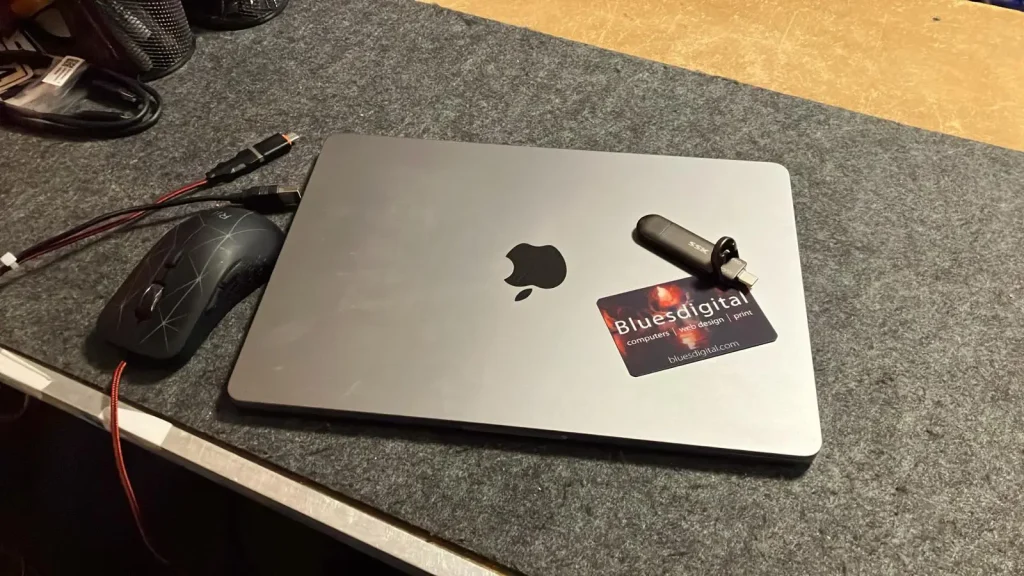
Cleaned and updated MacBook Air M2 after malware removal at Bluesdigital, Newtown.

How to Protect Your Mac

As these attacks become more prevalent, relying on Apple’s built-in security alone is becoming a risky gamble.

Expert Tip: We recommend implementing “PC-strength” security. Tools like Malwarebytes for Mac are fantastic at catching the bots and bad guys that slip through the cracks. For most users, the Standard version is more than enough to keep you safe without the bloat of a “Premium” subscription.

Need a Digital Health Check? 🔍

If your Mac is acting up or throwing “warnings”—stop right there. Don’t click the link; bring the mystery to us.

🕵️ Case closed before it becomes a crisis. We’ve been solving Newtown’s tech mysteries since 2006. From MacBook meltdowns to “PC-strength” security, we de-bug and update your devices to get them back in action.

For Newtown Mac support or a system deep-clean, just give us a shout.

📱 01686 610 106 | 💬 0783 222 7823 📍 Frolic House, Newtown

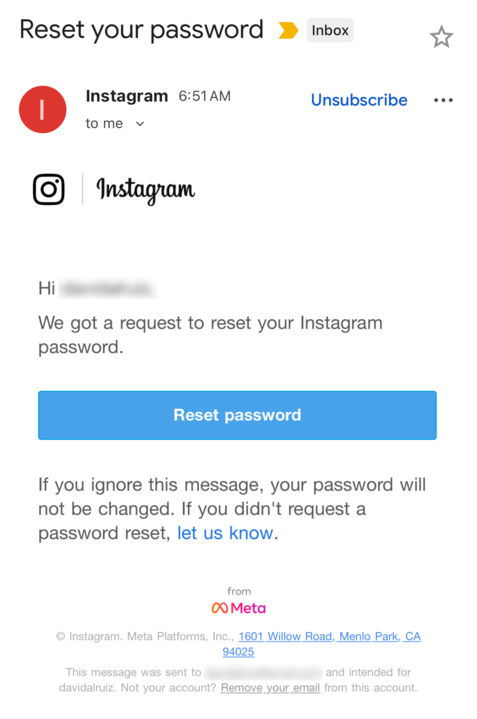
Breaking news:’Instagram security breach’

Instagram Security Breach. Safety advice

This week, an Instagram security breach was discovered when hackers stole the sensitive information of 17.5 million Instagram accounts. Complete with usernames, physical addresses, phone numbers, email addresses, and more, this data can be abused by cybercriminals to impersonate trusted brands, trick users, and steal their passwords.

Critically, this data is already being offered on the dark web, with individual users also receiving legitimate password reset notifications from Instagram.

What to do:

  • Beware of emails and messages that claim to come from Instagram, as they could be sent by malicious hackers trying to trick you into handing over your password.
  • If you’re concerned, sign into your Instagram account and reset your password to a new, strong, unique password.

Check if you were exposed
With a free scan from Malwarebytes’ Digital Footprint Portal, you can see if you were included in the Instagram breach. Simply enter the email address you used to register with Instagram and the free Digital Footprint scan will report your level of exposure online.

https://www.malwarebytes.com/digital-footprint

No Fix, No Fee – The Only Way to Do Business in Newtown

No Fix No Fee Computer Repairs in Newtown Powys - Bluesdigital
 No Fix No Fee service icon for risk-free tech support and PC repairs in Newtown, Powys

When your computer starts acting up — whether it’s the dreaded blue screen of death, a painful slowdown, or a virus that won’t go away — the first thing you feel is stress. The second thing? Worry about paying for a repair that might not even be possible.

We’ve all heard the stories: being charged a diagnostic fee just to be told the computer is a lost cause. At Bluesdigital, we don’t think that’s how a local business should treat its neighbours. That’s why we’ve built our reputation on a simple promise:

No Fix, No Fee.

Don’t let tech stress ruin your week. shop@bluedigital.com


Find Us on Frolic Street

You’ll find us right in the heart of Newtown on Frolic Street, next to the Newtown Medical Centre and just a few doors across from the Driving Test Centre. Whether you’re popping in on purpose or passing through town, we’re perfectly placed for an easy drop-off.


What “No Fix, No Fee” Means for You

It means exactly what it says. If you bring your device to us and we can’t resolve the software issue, fix the system fault, or get your hardware running properly again, you don’t owe us a penny.

We leave cracked phone and laptop screens to others — instead, we focus on the brains of your machine:

  • Performance boosts – Turning a “slow” PC into a fast, usable one
  • Virus & malware removal – Cleaning infections and securing your data
  • System crashes – Fixing boot loops, freezes, and software conflicts
  • Hardware upgrades – SSDs and RAM installs to breathe new life into older machines

Why Bluesdigital Does It Differently

  • Honesty in Powys
    Newtown is a close-knit community, and we value our neighbours’ trust. We don’t charge for a repair that doesn’t work — it’s as simple as that.
  • Confidence in our skills
    We offer No Fix, No Fee because we know our stuff. From deep-level system repairs to custom websites and high-quality printing, we take pride in delivering real results.
  • Risk-free tech support
    We want local residents and small businesses to feel comfortable asking for help early — without worrying about hidden costs or wasted money.

Frequently Asked Questions About Our No Fix, No Fee Service

What counts as a “fix”?

A fix means we’ve successfully resolved the specific fault you reported when you dropped off your device. Whether that’s getting a slow PC running properly again, removing a stubborn virus, or solving a software conflict, if the original problem is sorted, the repair counts as a success.


Is there really no charge if my computer can’t be repaired?

Yes — really. If we find your system is beyond economical repair, or we’re unable to resolve the software issue, you won’t be charged for our time. We believe you should only pay for results, not bad news.


Do you repair cracked laptop screens?

YES, we can replace cracked or broken laptop screens. We also specialise in system-level support, including performance optimisation, virus and malware removal, data recovery, and hardware upgrades such as SSDs and RAM.


Do I need an appointment to drop off my PC on Frolic Street?

No appointment needed — just pop in when it suits you. If you’d like to phone, message, or book ahead to let us know you’re on the way, you’re more than welcome to, but it’s not essential.


Does “No Fix, No Fee” apply to business clients?

Yes, it does. We offer the same risk-free guarantee to local Newtown businesses and home-office users. If we can’t get your work machine back up and running, there’s no service fee.


Get Your PC Fixed – No Fix No Fee Computer Repair in Newtown
We’re right next to the Driving Test Centre on Frolic Street.
Phone: 01686 610106 | 0783 222 7823
Shop Hours: 9.30 am – 5.30 pm Monday – Friday | Message outside of these hours and we will be ready for your visit.

Because Some Viruses We Can Fix

Computer virus removal in Newtown

Just like the flu, computer viruses have a habit of turning up at the worst possible time. Everything slows down, nothing works quite as it should, and what should be simple suddenly becomes a real headache. For fast, reliable computer virus removal in and around Newtown, Bluesdigital is here to help.

If your PC or laptop is running temperature, slow, acting oddly, or throwing up warnings, it might have caught a digital bug of its own. We help homes and small businesses get their machines back to full health with a thorough, no-nonsense clean-up.

While we can’t do much to ease the pressure on the NHS right now, we can help soothe poorly performing PCs and laptops when they need it most. If something doesn’t feel right, pop in, call, or get in touch for a chat.

Wishing anyone feeling under the weather a speedy recovery!

Do you need reliable computer repair in Newtown?

Pop in to see us at Frolic House ( between Newtown Medical Practice and Newtown Driving Test Centre )| Call 01686 610 106 | Message 0783 222 7823

Why Is My Laptop Slow?

Computer repair shop in Newtown, Powys and a windows reinstall

Why Is My Laptop Slow? (And Why a Windows Reinstall Often Fixes It)

If you’ve ever asked “Why is my laptop slow?”, you’re not alone. It’s one of the most common questions we get at our computer repair shop in Newtown, Powys. There are several reasons a laptop becomes sluggish, but one of the quickest and most reliable fixes is often a clean Windows reinstall.

In this article, “Windows” refers to the Microsoft Windows operating system on laptops and PCs, not physical window installation.

Here’s what might be happening — and how a reinstall brings your computer back to life.


Common Reasons Your Laptop Runs Slowly

1. Too Many Startup Programmes

Some apps launch every time you start your laptop, using up RAM — the short-term memory your computer needs to work quickly. If the RAM is full before you’ve opened anything, everything slows down.

2. A Full or Ageing Storage Drive

If your hard drive (HDD) is old or nearly full, performance will drop. Traditional HDDs slow with age, while modern SSDs (Solid-State Drives) are far faster. If you’re still on an HDD, consider upgrading.

3. Malware or Adware

Unwanted software can run in the background, stealing processing power and causing random freezing or pop-ups. Even after a virus scan, hidden leftovers can remain.

4. Old Drivers or Missed Windows Updates

Drivers let your hardware communicate with Windows. Outdated or corrupted drivers can cause lag, crashes, or hardware issues.


Why Your Laptop Often Needs a Windows Reinstall

Even well-maintained computers collect clutter over time. A Windows reinstall resets everything to clean, fast, and fresh.

If you’re local, you can learn more about our professional Windows reinstall service in Newtown, Powys.

Here’s why it works so well:

1. It Removes “Software Rot”

As Windows ages, it builds up leftover files, broken registry entries, old system settings, and fragments of uninstalled programmes. Windows has to process all this clutter, slowing your laptop down. A reinstall wipes it clean.

2. It Replaces Corrupted System Files

Laptops slow down when key Windows files become damaged. A clean reinstall restores everything to factory condition.

3. It Clears Hidden Malware and Bloatware

Even after a virus scan, trackers, adware, pop-up scripts, and browser hijackers can remain. A reinstall deletes everything — even the stuff antivirus programmes miss.

4. It Resets Drivers Properly

Driver conflicts cause lag, freezing, Wi-Fi issues, and crashes. A reinstall replaces all drivers with the correct versions.

5. It Stops Useless Background Services

Over time, apps install background processes you never see. Many do nothing useful. A reinstall removes them, freeing up CPU and RAM.


A Real Example From Bluesdigital – Computer Repair Shop

Just last week, a customer from Newtown brought in a laptop that was taking six minutes to start up! They’d already tried removing old apps, running antivirus scans, and even “speed-up tools,” but nothing worked.

We performed a clean Windows reinstall, and the difference was incredible. The laptop now boots in under 20 seconds, apps open instantly, and the fan is quiet.

This kind of transformation is exactly why we recommend a reinstall when laptops get slow — it’s like giving your computer a fresh start.


Signs You Probably Need a Windows Reinstall

  • Slow startup times
  • Apps freezing or randomly closing
  • Loud fan noise even when idle
  • You’ve tried cleaning or uninstalling apps with no improvement
  • The laptop struggles with simple tasks
  • Lots of old files and forgotten downloads
  • Frequent errors or blue screens

If this sounds familiar, a reinstall is usually the fastest fix.


What You’ll Notice After a Clean Reinstall

  • Faster boot times
  • Smoother performance
  • Longer battery life
  • Fewer crashes
  • More available storage
  • A laptop that feels almost new again

FAQ: Fixing a Slow Laptop

Why is my laptop slow all of a sudden?
Sudden slowdowns are often caused by Windows updates, malware, or a failing hard drive.

Will a Windows reinstall delete my files?
A clean reinstall resets everything. We always offer full data backup before we start.

How long does a reinstall take?
Usually 1–2 hours, depending on updates and driver installation.

Do I need more RAM?
If your laptop has 4GB RAM, upgrading to 8GB or 16GB can help — but a reinstall should come first.

Is it worth reinstalling Windows on an old laptop?
Yes. Even older machines often feel dramatically faster after a clean reinstall.


Serving Newtown, Powys and Surrounding Areas

If your laptop or PC is running slowly and you live in Newtown, Powys, or nearby areas such as Welshpool, Llanidloes, Caersws, or Montgomery, we can help.

If a clean Windows reinstall is the right solution, we’ll back up your data, reinstall Windows properly, and get your computer running fast again.

We also offer:

✔ Virus and malware removal
✔ SSD upgrades
✔ Full diagnostics
✔ Data backup and recovery

Bring your laptop to our workshop today — or contact us to book a repair. Can’t get to us? Check out our pick-up and drop-off service 🙂

🛡️Bluesdigital Virus Removal Services are Good for You and Your Computer!🐛

As our lives become more digital, our computers (Yep, Mac’s Too) are prime targets for malicious software. Investing in a professional virus removal service is a smart move. Here’s why:

Protect Your Data and Privacy

Viruses can steal passwords, financial info, and personal files. We detect and eliminate these threats, keeping your data safe from harmful viruses.

Boost System Performance

Malware can slow your Computer, cause crashes, and disrupt functionality. Professional virus removal restores speed and reliability, ensuring your system is virus-free.

Prevent Future Infections

Our service can include protective software and guidance on safe browsing, reducing your risk of future attacks and helping maintain a virus-free environment.

Save Time and Money

DIY removal is risky and time-consuming. At Bluesdigital, we handle those pesky troublemakers efficiently, providing virus removal that saves you time and money.

Peace of Mind

With your Computer running smoothly and safely, thanks to effective virus removal, you can kick back and chill a little more.

We love helping to keep you safe!

Do you need reliable computer repair in Newtown?

Pop in to see us at Frolic House ( between Newtown Medical Practice and Newtown Driving Test Centre ) | Call 01686 610 106 | Message 0783 222 7823

🌐Yes, We Can Help!

Unlocking Potential: How Bluesdigital is Here to Help You Thrive

In today’s fast-paced digital landscape, having a reliable partner can make all the difference. At Bluesdigital, we pride ourselves on being that partner for businesses & individuals looking to enhance their online presence and drive growth. Our commitment to helping our clients succeed is at the core of everything we do.

Tailored Solutions for Every Need

We understand that every client is unique, which is why we offer customized solutions that cater to your specific needs. Whether you’re looking for Computer Equipment, web development, digital marketing, or e-commerce solutions, We are dedicated to providing strategies that align with your goals. We take the time to listen and understand your challenges, ensuring that our solutions are not just effective but also relevant.

Expert Guidance and Support

Navigating the digital world can be overwhelming, but you don’t have to do it alone. We are here to guide you every step of the way. From initial consultations to ongoing support, we are committed to being a resource you can rely on. Our goal is to empower you with the tools and knowledge you need to make informed decisions and achieve lasting success.

Results-Driven Approach

At Bluesdigital, we believe in delivering results. Our data-driven strategies are designed to maximize your return on investment and help you reach your target audience effectively. We continuously analyse and optimize our efforts to ensure that you’re not just keeping up with the competition but staying ahead of it.

Need Proper Digital Business Support in Newtown?

Don’t let a dodgy website or outdated kit slow you down. At Bluesdigital, we’ve spent years helping locals turn tech headaches into growth. Whether you need a fresh e-commerce site or a fleet of reliable laptops, we provide the tools to help you thrive.

No jargon, just honest advice and results that speak for themselves.

Shout if you’re ready to start. 01686 610 106 | 0783 222 7823 Frolic House, Newtown

🧩Win A Full Copy of Malwarebytes Premium!🦠

Anyone who knows me is fully aware of my admiration for Malwarebytes Premium as a top-notch system defence in this wild world.

If you fancy a full 1-Year License for free, why not give my little quiz a go? You’ll receive a brand new license that you can activate at any time (even if you already have coverage) and be protected by one of the best security products on the market.

How to Enter:
Answer the following questions and send your responses to:

📧 shop@bluesdigital.com

📱 0783 222 7823

First correct answer wins.
Good luck, and may the best quizzer win!

General Knowledge:
    What is the capital of France?
        A) Berlin
        B) Madrid
        C) Paris
        D) Rome

Technology:
    Which company developed the Windows operating system?
        A) Apple
        B) Microsoft
        C) Google
        D) IBM

Cybersecurity:
    What does the acronym "VPN" stand for?
        A) Virtual Private Network
        B) Virtual Public Network
        C) Verified Private Network
        D) Variable Public Network

Antivirus Knowledge:
    What is the primary purpose of antivirus software?
        A) To speed up your computer
        B) To protect against malware
        C) To manage files
        D) To enhance graphics

Fun Fact:
    Which of the following is a common type of malware?
        A) Virus
        B) Spreadsheet
        C) Document
        D) Presentation

Fortect – Scam Or Safe?

My Opinion

When you have a Computer, Printer or Tech problem, Doing a quick Google search can easily lead you to Apps like Fortect, Driver Updater etc etc

Yes, some of these apps can reinstall a printer driver, But I have clients who have been charged up to £170 from disreputable software companies, taking advantage of the less initiated computer user.

Software similar to this has also been known to leave spyware hidden on your machines, and worse.

Please don’t believe all the reviews online, lots of them seem to be posted by people affiliated with Fortect getting paid to promote Fortect & other “Wonder Tools”

User reviews through sites such as Trustpilot are also largely favourable, with a majority of 5-star reviews. This alone raises concerns for me. Human nature dictates that most folk will only submit a review when they have something to complain about and are much less likely to submit a review if everything goes to plan with no issues at all.
This abundance of 5-star reviews for Fortect does raise suspicions of fake reviews.

UPDATE: Fortect has offices in Israel, Philippines & Germany.

In my opinion, Fortect displays traits of a scan-and-bait scenario.
I would suggest that you avoid Fortect.


From Chat GPT:

While Fortect may offer various benefits, there are some potential negatives and criticisms associated with the software and the company that owns it:

  1. Mixed Reviews: Users often have mixed experiences with Fortect. Some may find it effective for system optimization, while others report limited improvements or issues with the software’s functionality.
  2. Aggressive Marketing: Some users have criticized the company’s marketing tactics, describing them as aggressive or misleading. This can lead to frustration, especially if users feel pressured to purchase the software.
  3. Subscription Model: Fortect may operate on a subscription basis, which can be a downside for users who prefer one-time purchases. Ongoing costs can add up over time.
  4. Performance Impact: In some cases, users have reported that the software can slow down their systems during scans or updates, which can be counterproductive to its intended purpose.
  5. Customer Support: There are mixed reviews regarding customer support. Some users have reported difficulties in getting timely assistance or satisfactory resolutions to their issues.
  6. Privacy Concerns: As with many software solutions, there may be concerns about data privacy and how user information is handled.

It’s important to consider these factors and read a variety of user reviews to get a comprehensive understanding of the software and the company’s reputation. If you’re considering using Fortect, it may be helpful to weigh the pros and cons based on your specific needs and experiences.


https://www.scam-detector.com/validator/fortect-com-review

https://www.bleepingcomputer.com/forums/t/790369/thoughts-on-fortect