Fancy some serious gaming power at a VERY reasonable price, backed by the infamous Bluesdigital 12 Month Warranty?? A refurbished Ryzen 5 gaming PC might just be what you’re looking for.
This Ryzen 5 Based little black box should tick all the boxes from just £400.
Originally built by us, with top spec components, as usual!
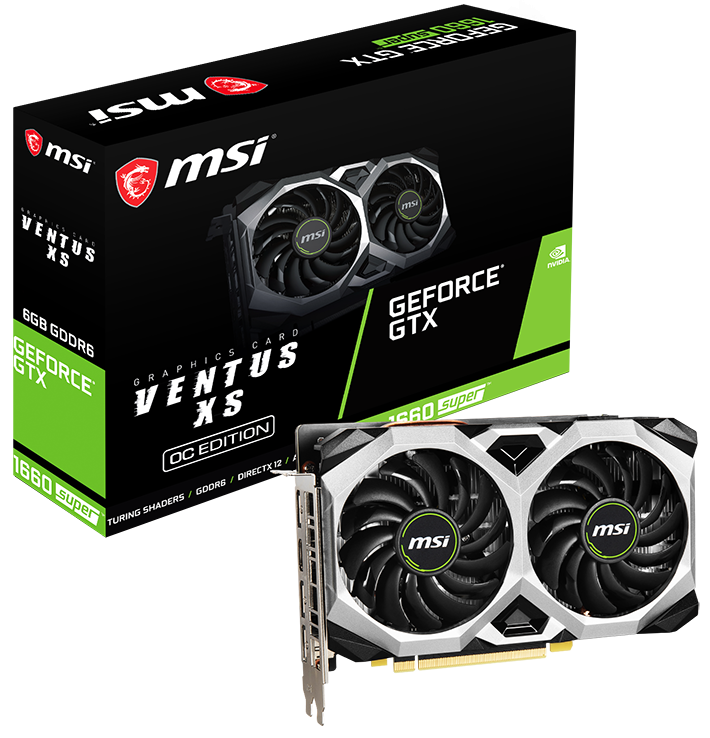
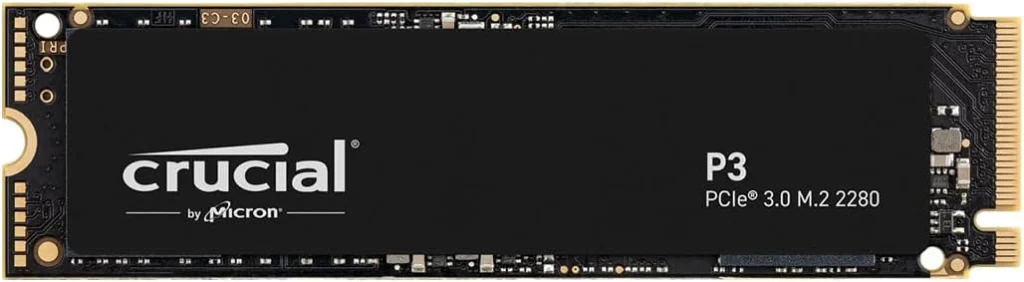
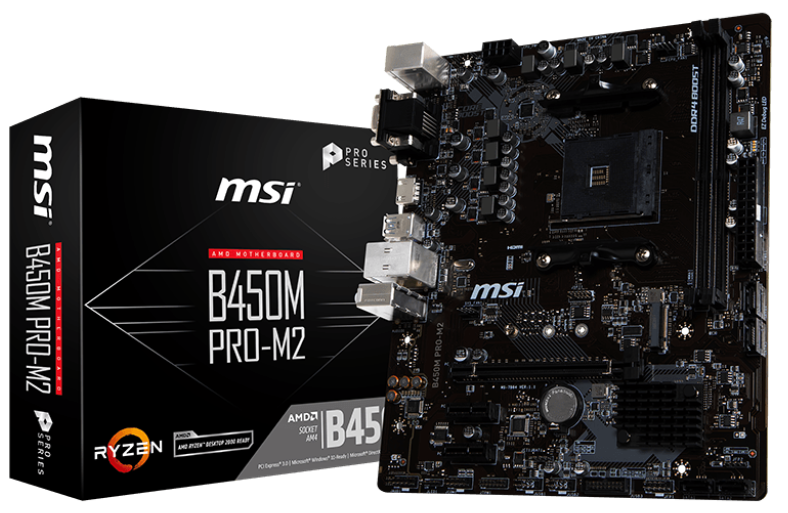
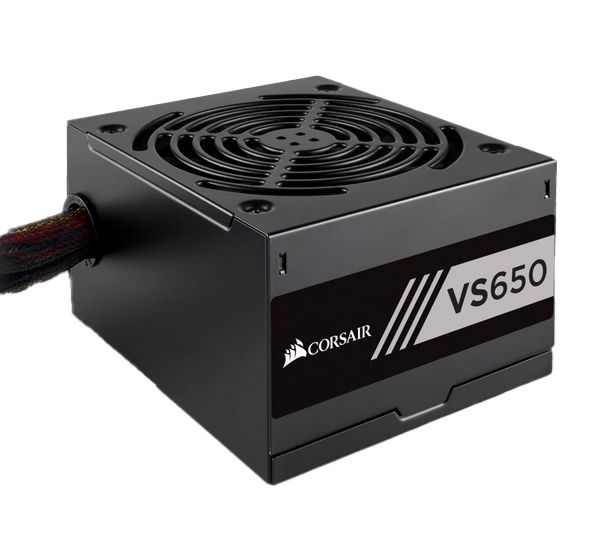
Tech info: Ryzen 5 2600 cpu 16Gb 2933MHz Corsair DDR4 ram Crucial P3 1Tb NVMe SSD Corsair VS650 psu MSi B450M Pro-M2 mobo Thermaltake Versa H15 window M-ATX case Windows 11 Home
With GTX 1050 Ti £400 or With GTX 1660 Super gfx card £500
For more computer services, pop in to see us at Frolic House ( between Newtown Medical Practice and Newtown Driving Test Centre ) | Call 01686 610 106 | Message 0783 222 7823
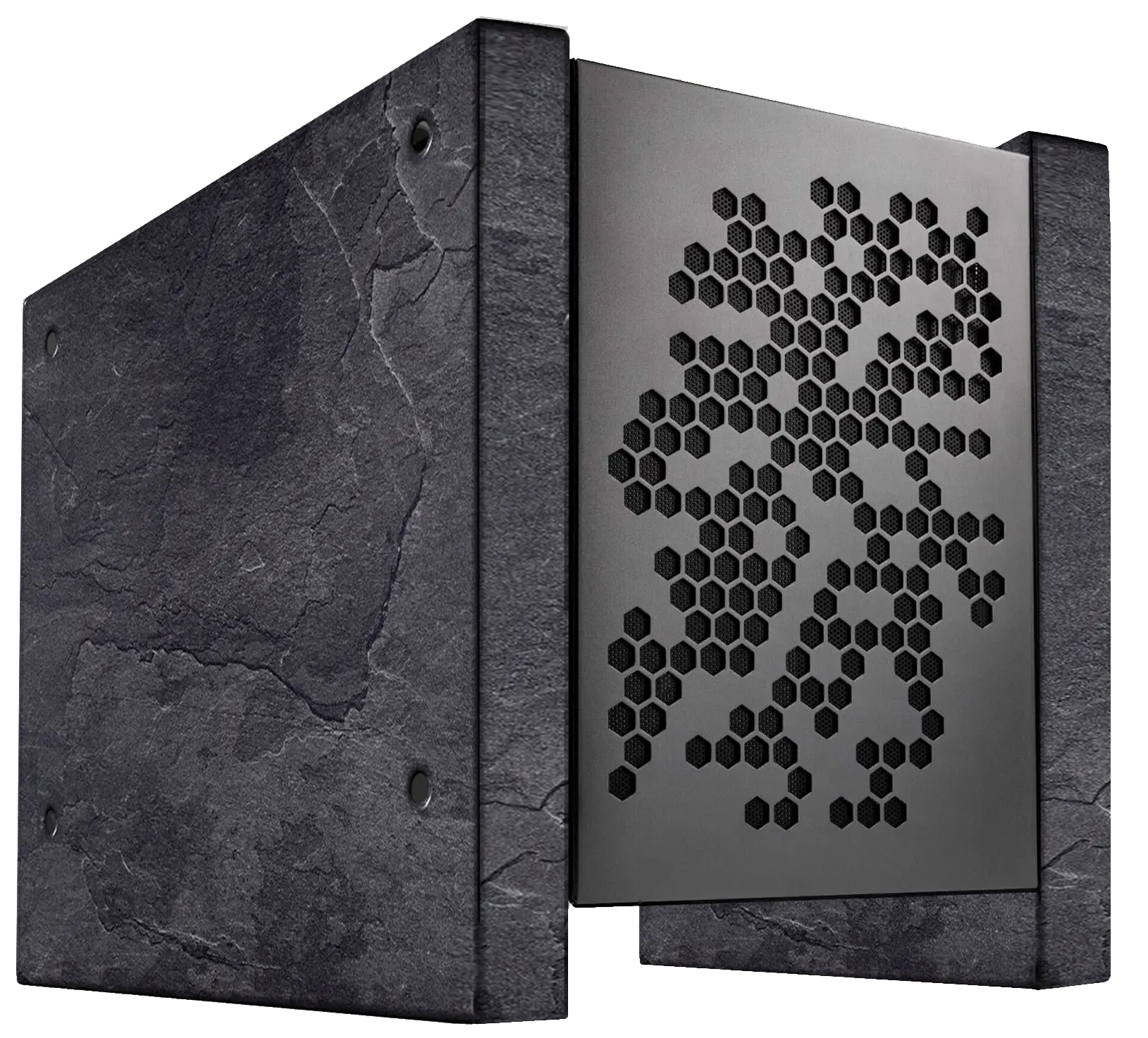
We are excited to be introducing Bluesdigital Workshop as a place where we create truly unique custom computer cases. We’re not just building cases; we’re crafting items that blend nostalgia and nature into functional art. Whether it’s repurposing parts from an old favorite car or bike, or using natural materials like wood and stone, we create pieces that are both personal and extraordinary.
Our first creation, The Slate One, is a case made from authentic Welsh blue-black slate. With its riven outer face, and chamfered edges, it brings the majesty of Welsh nature right to your computer desk.
If this idea sparks your interest, we’d love to hear from you.
Let’s face it—your computer has seen things. Pop-ups, bloatware, sluggish boot times, and the mysterious disappearance of hard drive space. After months (or years) of digital grime building up, it’s crying out for a fresh start. And that’s where Bluesdigital steps in like a digital spa day.
A Fresh Start, The Right Way
At Bluesdigital, we don’t just slap a new Windows install on your machine and call it a day. We take the time to understand your system, your needs, and your software essentials. It’s not just a re-install—it’s a full reset with care.
✅ Clean installation – No leftover junk from the past.
⚙️ Driver updates – Your hardware gets the love it deserves.
🛡️ Security configured – We close the back doors and lock the front gate.
📦 Essential software loaded – No bloat, just the tools you actually use.
Speed Isn’t Just a Buzzword
Once we’re done, your PC boots faster, runs smoother, and responds like it’s just rolled off the production line. It’s not magic—just years of experience, a well-honed process, and a bit of Bluesdigital charm.
Your Files? Safe and Sound.
Worried about losing documents, photos, or that half-finished novel? Don’t be. We back up what matters and restore it cleanly, so your digital life stays intact—but your problems don’t.
Less Stress, More Yes
You don’t have to tinker with boot menus, BIOS settings, or dig through forums for “Fix Windows error 0x80070057.” We’ve got it covered. All you do is drop off your machine and pick it up like new.
When it comes to buying a device, we understand that the process can sometimes feel overwhelming. That’s why, at Bluesdigital, a small, family-run business nestled in the heart of Mid Wales, we’re dedicated to providing you with a personal and hassle-free experience. We believe in offering not only top-quality refurbished devices but also the peace of mind that comes with excellent customer service and trustworthy advice.
Refurbished to Perfection
At Bluesdigital, we pride ourselves on the quality of the devices we offer. We refurbish each product to the highest standard, ensuring it performs as well as a brand-new one at a fraction of the cost.. Our rigorous refurbishment process means that you can rely on your device for years to come. No compromises, no corners cut.
Ready to Go, Straight Out of the Box
Gone are the days of dealing with complicated setups, endless updates, and frustrating configurations. When you purchase a device from Bluesdigital, it’s ready to go right out of the box. Simply connect to your Wi-Fi, and you’re good to go—no more wasting time with setup hassles. We prep, update, and optimise your device so you can focus on what matters most.
A Warranty You Can Trust
We stand behind the products we sell with our renowned warranty, so you don’t have to worry about a thing. If anything goes wrong, you can count on us to help make it right. Our commitment to your satisfaction doesn’t end with the sale—we’re here for the long haul, ensuring you get the most out of your device.
Genuine Advice, No Pressure
What truly sets Bluesdigital apart is our approach to customer service. As a family-run business, we genuinely care about helping you make the right choice. We provide honest, unbiased advice, with no profit-driven sales tactics clouding our words. Whether you’re unsure which device to choose or need help with something technical, we’re always happy to offer our expertise, ensuring you make an informed decision.
At Bluesdigital, it’s all about relationships, not just transactions.
Why Choose Us?
Local Business, Local Touch: As a family business, we understand the importance of community and personal service.
Refurbished Devices, Like New: Our devices undergo rigorous testing and refurbishing to ensure they’re in top-notch condition. You’re getting incredible value without sacrificing quality.
No Setup Hassles: Your device is pre-configured and ready to go—just connect to your Wi-Fi and start using it right away.
Trusted Warranty and Support: Our warranty means you’re covered, and our support team is here to help you every step of the way.
No Pushy Sales Tactics: We believe in providing clear, helpful advice without any pressure to buy. You can trust us to guide you in making the best choice for your needs.
Ready to Get Started?
Looking for high-quality, refurbished devices backed by outstanding customer service, Bluesdigital is the place for you. Visit us today, and let us help you find the perfect device for your needs. We look forward to welcoming you into the Bluesdigital family!
So, the 14th of October 2025 is the official Windows 10 End of Life.
Don’t let the Fearmongers force you to lash out on a new computer.
If you are an everyday type of user, browsing the net, checking a few emails & doing a bit of shopping, as long as you have a decent anti-virus (preferably a paid version) you should be absolutely fine for the next 2-4 years. By then you’ll probably be looking forward to your next computer (Windows 12,13…)
Of course, if you are part of a large organisation or a power user things are different, with compliance issues and such.
Lot’s of perfectly good older computers can still be upgraded to windows 11, even if they say that they can’t….
Give us a call to discuss your options, or drop by for a free check over to see what’s available for your trusty steed.
For more computer services, pop in to see us at Frolic House ( between Newtown Medical Practice and Driving Test Centre ) | Call 01686 610 106 | Message 0783 222 7823
Well it’s been one of my busiest weeks ever for “Brain Picking” calls & visits. Here’s a few highlights!
“My Hard Drive is making strange ticking noises, and my computer is going really slow”
Firstly, backup all your files & data ASAP, as it sounds like your hard drive is on it’s last legs & may be failing. Once you have your stuff safely backed up, you can download a very useful tool called CrystalDiskInfo. https://crystalmark.info/en/software/crystaldiskinfo/
It will give you a very quick diagnosis of the health of any hard drive/SSD or USB drive connected to your system.
“My Printer has stopped working since changing broadband suppliers”
As you have changed suppliers, you have probably got a new Router/Modem ?….. Yes! In that case you will have to re-install/connect the printer to your WiFi, like when you first got it. There should be a WiFi/Wireless configuration Icon or Button on the Printer. If you need a guide, the Printer manufacturers website should have one available. Look for “Quick Start Guide” or similar.
“My Laptop has frozen and I can’t shut it down”
Just pulling the plug, like you can do on a desktop pc, is out of the question as a laptop has an internal battery! And as most (maybe all nowadays) have the battery secreted away under the bottom cover, it can be a bit fiddly to take it out safely & quickly.
The easiest way to shut any type of computer down if it’s being grumpy, is to hold the power button down for 5-10 seconds, and it should shut down completely. If it just comes back to the frozen screen, you didn’t hold it down long enough, Try Again!
“Where’s Disk Clean-up Gone??”
Ah, Windows 11 hiding useful stuff again. Click on the “Start” button, in the little search box at the top start typing Disk Clean and it should appear in the menu, where you can pin it to your start menu for easy access.
“Why is my internet so slow ?”
There’s so many reasons for your internet speed slowing down. It could be your supplier having issues, Dodgy phone lines, Router/Modem problems, and that’s before the list of computer problems that can cause this.
First thing to check is your computer/device. Does it take forever to start & shutdown, open programs etc? If yes, your computer could be the reason, and probably needs a little TLC.
If the computer/device starts & runs well, test the internet speed by going to www.fast.com & see if you are getting what you pay for. Bear in mind though, that if you are using WiFi, a low signal between you and your router/modem will slow things down quite significantly. Connecting your device via Ethernet (Cat5/6) cable directly to your router/modem will get a more accurate speed test.
If the speed is below what you are supposed to get, contact your broadband supplier to get things checked out.
“Do I have to get rid of my Windows 10 Computer now it’s coming to an end, and won’t upgrade to Windows 11 ?”
I get this question on a daily basis. In most cases no. As long as you are using a decent anti-virus, you’ll have a few years left in the old beast yet! As time goes by, things like Google Chrome & MS Edge may refuse to update, but that’s at least 2-5 years away.
“Where have all the options gone when I right click on stuff ?”
At the bottom of the list is the “Show More Options” button, Sneaky Win 11…
There’s a few ways to disable the truncated context menus, but make sure it’s someone who knows what they are doing!
I’m not one to usually rush into the latest updates, as I like to see if the world still works before jumping in. Understanding how a Microsoft Patch / Update can affect your system is important before deciding to install it right away.
However, there’s an urgent update from Microsoft that addresses some VERY important security issues, and has had my inbox inundated this morning by some large tech companies urging the importance of applying this fix.
From what I’ve read, I’m updating my systems now (after a full backup, of course) and would advise you to do the same.
Just go to “Windows Update” via “Settings” and check/install like the pic below:
A client I’ve not seen for a while just called to ask if I could back-up her “Lightroom” Files to an external drive. If everything runs well, this should take 30>60min…
As it turns out, the laptop is running VERY SLOWLY. With it taking over 10 mins to fully boot up, and Lightroom taking another 5-10, this is going to be a bit of a slog.
The first file to save is the “Catalog” file via Lightrooms own back-up utility, as just copying the file from the system can lead to errors later.
Then it’s time to make a copy of everything else. At nearly 500Gb in size & a transfer speed of 5-20Mb, we are looking at 5-6hrs!
With the state of the laptop, getting this data copied was urgent, as a failure would be horrible for my client.
The fastest way to transfer data in this case would be to remove the drive and use a direct SATA connection, for grabbing the files.
Now it’s averaging 50-120Mbs, e.t.a about an hour or so. But still kind of slow (Cheap n cheerful ADATA..Hmm).
Once that has completed, rebuilding the laptop… While I’m doing that, I’ll move the files over to my clients external drive at a steady 90Mbs (1hr 25min.)
Quick check that it’s booting okay,before screwing the case down. “Preparing Automatic Repair”, “HP System Bios Update Failure”, Oh Dear.
Looks like I’ll be on the late train, as usual 🙂
The client has advised me that she’s looking to replace this laptop, so I’ve sent her an example of what to look for in a good photo editing computer. (i7/Ryzen7 cpu, 32Gb DDR4/5 ram, 1Tb NVMe-SSD)
But with a new SSD & maybe a memory upgrade too, refurbishing her old laptop may be a better option, as it’s got great graphics & decent CPU…..
🛡️ Saving Your Data When Seconds Count
What looks like a “quick back-up” can quickly turn into a data recovery mission. When a laptop slows to a crawl, it often signals that the hardware is on the brink of failure.
Don’t wait for the “Automatic Repair” screen to appear. If your laptop feels sluggish or struggles with heavy tasks like photo editing, secure your files.
Reliable Tech Support & Professional Print 💻🗄️
At Bluesdigital, we specialise in laptop data recovery and SSD upgrades in Newtown. We don’t just suggest expensive new replacements; often, a professional refurbish—upgrading your RAM and moving to a lightning-fast SSD—can make your current machine outperform a brand-new budget model.
Whether you need to save years of photos or require high-qualitybusiness printing in Mid-Wales, we provide the technical grit to get the job done right.
Is your tech underperforming?
Data Recovery: We rescue files from failing or slow hard drives.
Refurbishment: SSD and RAM upgrades to give your old PC a “supercar” feel.
Buying Advice: We help you find the right specs for demanding tasks like Lightroom.
Visit the experts at Frolic House: ☎️ Call: 01686 610 106 📱 Text: 0783 222 7823 📍 Location: Frolic House, Newtown (Between the Medical Practice & Driving Test Centre)
If like me, you find Microsoft’s latest & Greatest Operating System, Windows 11, a little bit bloaty & nosey, You should try using Debloos! (LINK)
It’s a great little tool to help you quickly & safely remove some of the “Bloatware” & Pseudo Spyware that is packaged in Windows 11.
I would always advise you to do a back-up of your important files before using ANY tweaking tool, just in case!
If you fancy trying out a “Clean Install” of your Operating System, and you want to make a better USB Bootable installer than what you get with Microsoft’s own “Media Creation Tool”, you should give “RUFUS” a try. (LINK)
Among many of it’s very useful features, it will allow you to download the required operating system ISO’s safely. Furthermore, you can remove those pesky requirements for 4+GB RAM and Secure Boot. TPM 2.0 & the need for a Microsoft account, just to install Windows!
For more computer services, pop in to see us at Frolic House ( between Newtown Medical Practice and Driving Test Centre ) | Call 01686 610 106 | Message 0783 222 7823