Talk about a loyal customer!
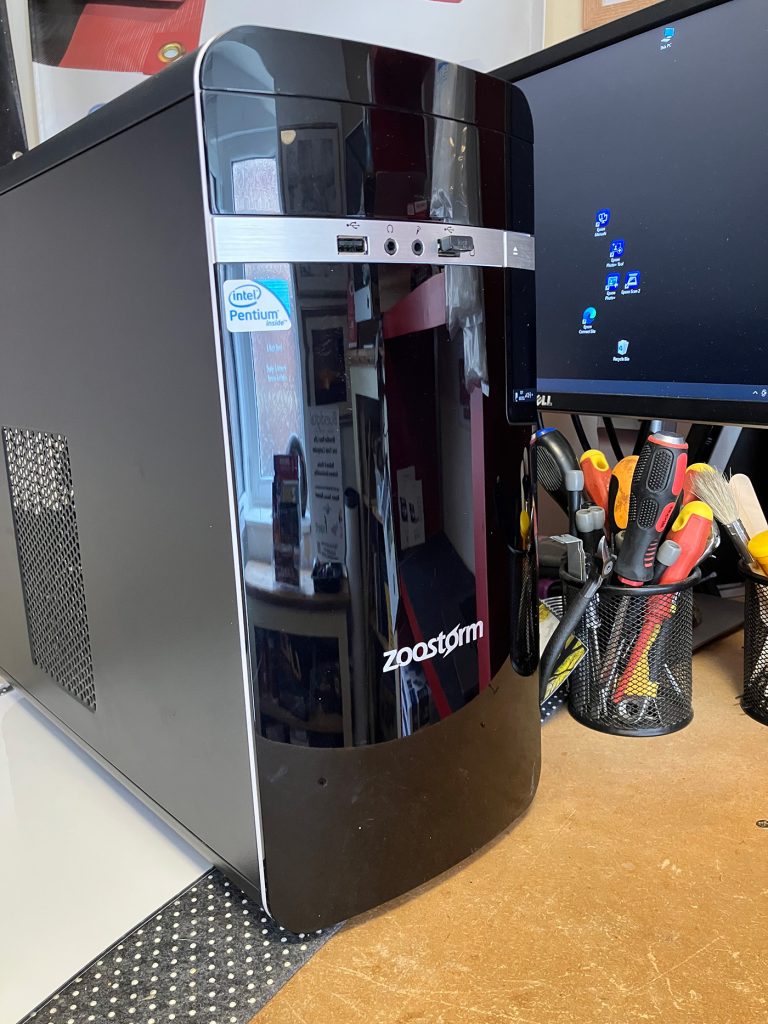
This trusty Zoostorm desktop came back through our doors this week for its second-ever service. We originally sold this machine back in 2015, and here it is 11 years later, still doing exactly what it was built to do.
It’s always nice to see a familiar computer return for routine PC service and upgrades rather than because something has gone seriously wrong.
The Service History
2015: Sold fresh out of the shop.
2020: Back for its first service. We replaced the original mechanical hard drive with a fast SSD. This gives the PC a huge performance boost and a fresh lease of life.
2026: Back on the bench for service number two.
What did it need this time?
Honestly… not very much!
Just a gentle clean to remove a little dust, a tidy-up of the operating system, and the latest software updates. After a full set of health checks, everything passed with flying colours.
It’s now packed up and ready to head home for many more years of reliable service.
The Takeaway: You’re Doing More Than Just Fixing a PC
When you bring your computer in for PC service and upgrades, you’re not just improving its performance—you’re making a positive difference in a few surprising ways.
1. You’re Helping Reduce the UK’s E-Waste Problem
Did you know the UK produces one of the highest amounts of electronic waste per person in the world?
As the Right to Repair movement gathers momentum, more people are choosing to repair and upgrade their existing computers instead of replacing them. Keeping a desktop running happily for 11 years is a brilliant example of making technology last longer instead of becoming unnecessary waste.
2. You’re Reducing Your Carbon Footprint
Here’s a remarkable fact: around 80% of a computer’s lifetime carbon footprint is created during manufacturing, long before it’s ever switched on.
By choosing PC service and upgrades instead of replacing your computer, you’re helping avoid the environmental impact of manufacturing a brand-new machine while making the most of the one you already own.
3. You’re Saving Money
Buying a new desktop or laptop every few years soon adds up.
Often, an SSD upgrade, extra memory, or a professional service can make an older computer feel dramatically quicker and more responsive for a fraction of the cost of buying a new PC.
A well-built desktop doesn’t have to be replaced every few years. Whether it’s a thorough clean, a storage upgrade, extra memory, or routine maintenance, a little care can add years to the life of your PC.
Frequently Asked Questions
How long should a good desktop PC last?
With sensible maintenance and occasional PC service and upgrades, a quality desktop can easily last 7–10 years or even longer. One of the biggest advantages of desktop PCs is that they’re designed to be opened, cleaned, repaired, and upgraded as your needs change.
Is my old computer worth servicing or upgrading?
In many cases, absolutely!
Even as software becomes more demanding, you don’t necessarily need to replace your computer. An SSD upgrade, extra memory, or a professional system clean can transform performance for a fraction of the cost of buying a new PC.
How often should a desktop PC be serviced?
We generally recommend a professional PC service every two to three years. Removing built-up dust, checking hardware health, installing updates, and carrying out preventative maintenance helps keep temperatures down, fans quieter, and performance at their best.
In a world where we’re often encouraged to replace everything, it’s nice to be reminded that sometimes the best upgrade is simply looking after what you’ve already got.
Whether it’s a professional clean, an SSD upgrade, extra memory, or routine PC service and upgrades, keeping a trusted computer running for another few years is good for your wallet, good for the environment, and often all you need.
We’re always proud when computers we supplied over a decade ago come back through our doors still going strong. It’s a reminder that quality hardware, looked after properly, really can stand the test of time.
Here’s to another few years, old friend. 🖥️💙