Check out the new book from Newtown Civic Society – Explore Newtown – Newtown South of the Centre – Buildings and Character. Full of photos and maps showing how Newtown has come to look the way it does today.
Your Local Partner for Print, Web & Tech 🏛️✨
At Bluesdigital, we love projects that celebrate our roots. Whether you need high-quality local history booklets, durable outdoor signage for a town trail, or a modern website to host a digital archive, we have the expertise to bring your community project to life.
We don’t just print the maps; we ensure the tech you use to design them is running at peak performance. If your computer is feeling like a “historical relic,” bring it into Frolic House for a modern SSD upgrade or a full performance tune-up.
How we support Newtown’s heritage:
Professional Printing: From A3 posters to bespoke brochures and maps.
Web Design & Hosting: Building digital homes for local societies and groups.
Expert Tech Repairs: Keeping the community connected with reliable PC and laptop support.
Visit us at Frolic House and let’s discuss your next project: ☎️ Call: 01686 610 106 📱 Text: 0783 222 7823 📍 Find us: Newtown (Between the Medical Practice & Driving Test Centre)
🔓 We’re Opening More Doors for You! We’re excited to announce extended opening hours for your convenience.
You asked, and we listened! Our new extended opening hours!
You can now find us at our Newtown shop every weekday from 9:30 am to 5:30 pm. Whether you need a quick repair after work or want to drop off a print job on your lunch break, we’re here to help. We are also hard at work on an online booking facility to make scheduling your tech support even easier. Stay tuned—there are plenty more exciting service changes on the horizon!
Your Full-Service Digital Hub in Newtown 💻🚀
With our extended hours, Bluesdigital is more ready than ever to tackle your digital to-do list. From emergency PC repairs and laptop screen replacements to designing bespoke business websites, we provide the expertise you need, exactly when you need it.
We aren’t just your local tech shop; we are yourNewtown printers and web partners. If you’re a local business owner, pop in during our new hours to see how our web hosting and design services can help you reach more customers while you sleep!
Why visit us during our new hours?
More Availability: We’re open all day, every weekday, to fit your busy schedule.
Expert Tech Support: Fast, local diagnostics and repairs for all your devices.
Print & Web Solutions: Discuss your next website or marketing campaign face-to-face.
Find us at Frolic House (Now open until 5:30 pm!): ☎️ Call: 01686 610 106 📱 Text: 0783 222 7823 📍 Location: Newtown (Between the Medical Practice & Driving Test Centre)
Are you feeling overwhelmed by the ever-changing world of social media? Could your business benefit from a clearer digital strategy?
I highly recommend checking out Business Minds! They are a fantastic local resource for anyone looking to navigate social platforms and turn those “likes” into real growth. In today’s market, knowing how to use these tools to your benefit is essential. Also, having the right guidance makes all the difference.
Building Your Digital Foundation in Newtown 🌐🚀
At Bluesdigital, we handle the technical side so you can focus on the “Business Minds” side. Once you’ve got your social media strategy in place, we are here to provide the web design and hosting. Let’s give your followers a professional place to land.
Whether you need a responsive website to showcase your services or high-quality printed marketing materialsto match your online brand, we ensure your business looks sharp both on-screen and in-hand. However, if your laptop is too slow to keep up with your social media updates, bring it to Frolic House for a performance boost!
How we support local businesses:
Web Hosting & Design: Creating the “digital home” for your social media traffic.
Pro Printing: Business cards, flyers, and banners to bridge the gap between digital and physical.
Tech Optimization: Fast PC repairs to keep your business running without the lag.
Let’s grow your business at Frolic House: ☎️ Call: 01686 610 106 📱 Text: 0783 222 7823 📍 Find us: Newtown (Between the Medical Practice & Driving Test Centre)
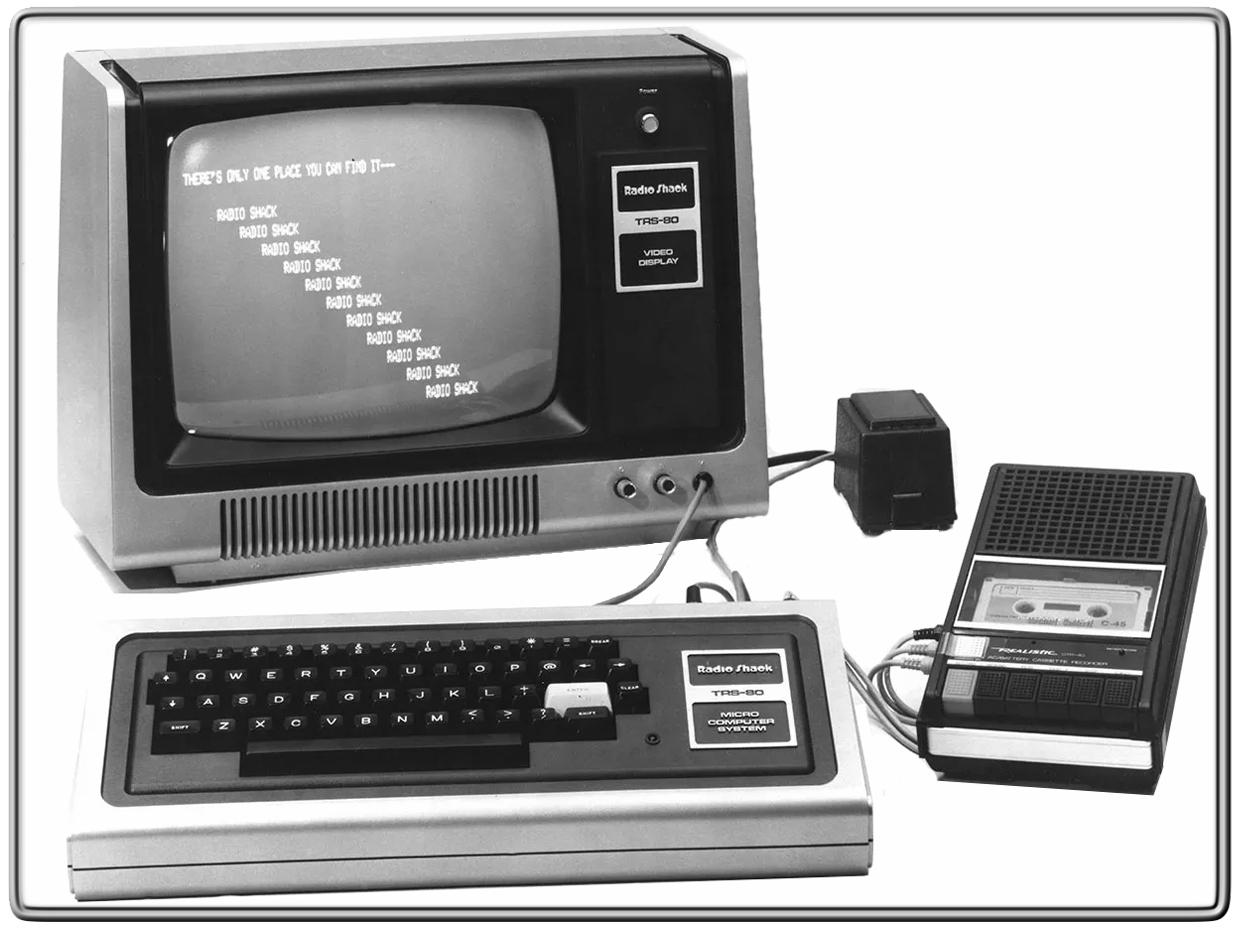
They say you never forget your first… 🎞️ Tandy/RadioShack TRS-80 | 1982. That was the first time I sat down in front of a computer! ⌨️
P.S. Did you know? 💾 The original TRS-80 was nicknamed the “Trash-80” because it caused so much radio interference. If you put an AM radio next to it while a game was loading, you could actually hear the data “singing” through the speakers! 📻🎶
Fast forward to today, and while the tech has changed, the passion for solving problems hasn’t. Whether you’re still rocking a classic or need a 2026 high-speed workstation, for the most experienced Newtown computer services, we’ve got you covered.
What was your “Model 1” moment? Drop your first computer in the comments! 👇
Get in touch: ☎️ Call: 01686 610 106 📱 Text: 0783 222 7823 📍 Visit us: Frolic House, Newtown (Right between the Medical Practice & Driving Test Centre)
Wrap up your creativity with our incredible new wrapping paper rolls. Create eye-catching designs with seamless, edge-to-edge printing across four lengths, including a whopping 10-metre option. Plus, with specialised paper stock and swift turnaround times, creating one-of-a-kind gifting materials has never been easier. Roll up and explore the range today.
Multiple roll lengths
Unroll the wrapping potential with our extensive selection of 2, 3, 5, and 10-metre lengths. Perfect for everything from branded packaging and merchandise to personalised gifting and beyond.
Seamless designs
Create stunning edge-to-edge rolls with ease. Tile logos, patterns, text and more to make seamless step-and-repeat designs that look (almost) too good to unwrap.
Perfect presentation
Wrap gifts in style with a specialised 90gsm uncoated stock – designed for smooth cuts, precise folds and impeccable presentation.
If you want to tighten up your parents’ home cybersecurity as much as possible, you’ve come to the right place. After all, you’re no doubt the family IT person, and first point of contact if trouble arises.
Consider a Chromebook. If someone is looking for a new computer system for regular, non-demanding purposes, such as browsing, social media, and email, you can help with recommendations. For such a person, who isn’t invested in heavy gaming, a Chromebook would be a good option, as it will save them some money and can perform all those functions, plus allows them to play browser-based games if needed.
Turn on auto-update. Installing software on a system usually comes with the task of having to keep it up-to-date. Therefore, any software program, operating system or browser that has an option to auto-update should be set to do this. We know this isn’t always recommended in a work environment, but for the computer illiterate person in their own home, it’s perfect. One less thing to worry about.
Configure their security software. In addition, selecting security software that allows users to minimize notifications to only dire warnings will keep users from getting confused. Notifications coming from programs can have strange effects on the less computer savvy for several reasons:
They don’t understand to which program the messages belong, which takes away the context for them
The text in the notifications is designed to be short, which means they’re not always maximized for clarity
Technical terms used in the notification may be unfamiliar
When there are too many notifications, people can get fatigued. Most will simply want the pop-ups to disappear, no matter what they have to click on to accomplish this. So, any software that can be set to only issue a warning when something is really amiss deserves a big plus.
Disable Remote Desktop. If you’re dealing with a Windows computer, disable Remote Desktop. Remote Desktop is sometimes used by scammers in things like technical support scams, so if you don’t need it you may as well turn it off. You can do this in Settings. Here’s how to do it in Windows 10:
Launch the Settings app. (shortcut Win + I)
Under the System section, scroll down and click on the Remote Desktop option.
Then, click on the toggle next to the Remote Desktop option to turn it off.
Windows will prompt you to confirm your decision.
Click on the Disable button and exit the settings app.
Use an easy to maintain blocklist or firewall. This can keep a lot of harm at bay. Alternatively, make use of security software that includes a web protection module. (We use Malwarebytes)
Configure the router/modem accordingly. Make sure to configure the home router and access points with unique usernames and passwords and do not use the default ones that come with the equipment. Many botnets will attempt to take over such devices by trying default credentials.
There are some other basic settings that can enhance the security of the home router without hindering the users:
Turn off remote management if enabled.
Use WPA2 or WPA3 (if available) encryption on Wireless routers.
Hang up, close the tab, and call your bank. A Dutch bank ran a very effective campaign that advised customers to “Hang up, close the tab, and call your bank.” This is very easy to remember and very effective at the same time. Tell your parents to remember that phrase when they see “urgent” warnings online or get cold calls from Microsoft, their bank, or any other entity that seeks access to personal or financial information. It’s good to teach your parents they shouldn’t trust that friendly voice with a concerned tone, if they can’t verify their identity. The same is true for text and chat messages. Even if the sender claims to be you on your new phone.
Bluesdigital are now offering a short run T-Shirt printing service, starting from just a single print!
With a range of Budget, Everyday & Organic shirts to suit every event, I’m sure we’ll be able to come up with something really special for your promotion.