


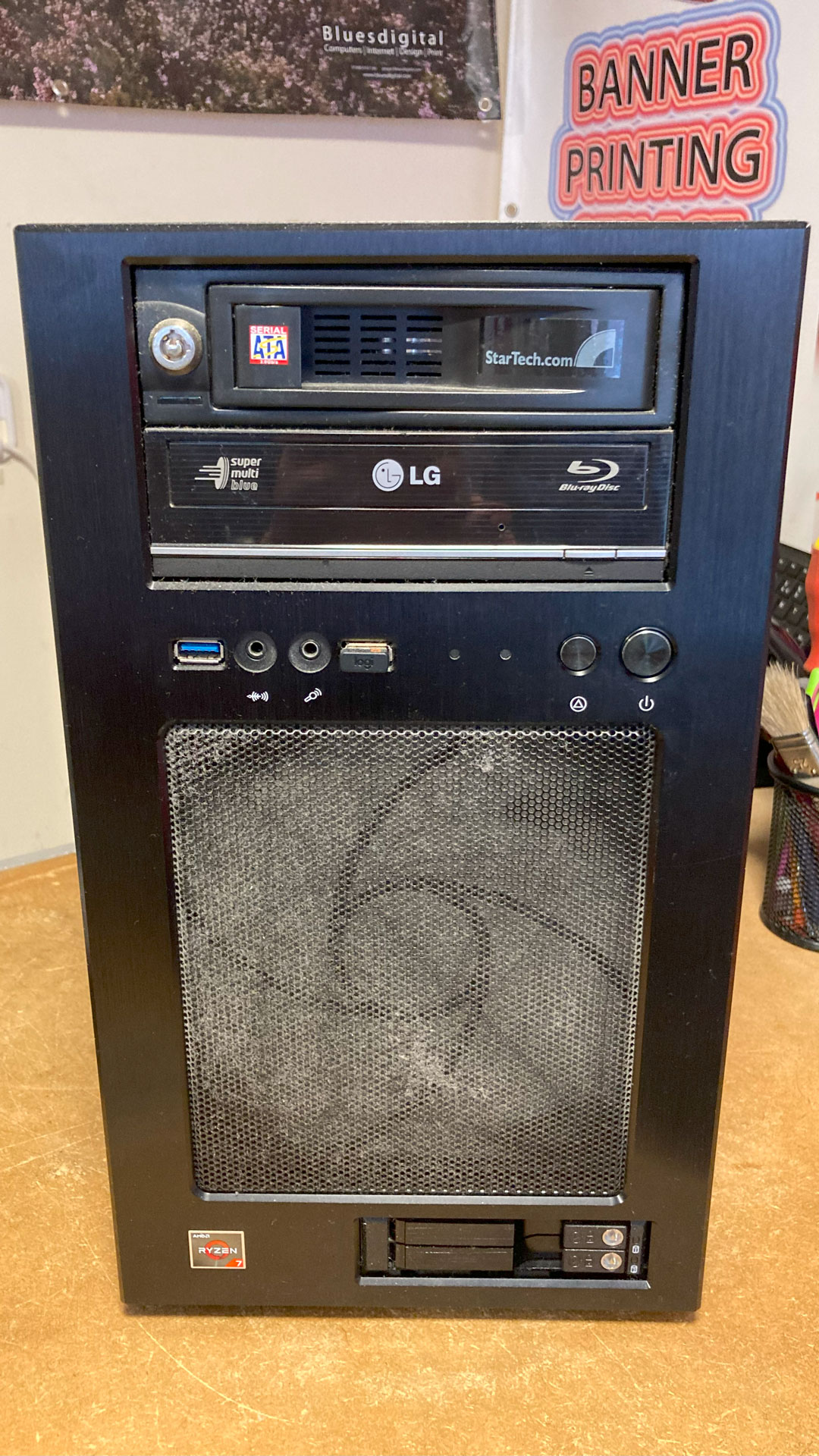

The Oldest Stock in the shop has finally sold!
It’s an “antique” PS2 Mouse from the Windows 95 days.
Only used once so that one of my sons could experience the sheer speed & accuracy of the trackball.
From Vintage Tech to Future Builds 🚀🛠️
At Bluesdigital, we’ve seen tech evolve from trackballs to touchscreens, and we’re here to help you navigate it all. While we’re happy to say goodbye to Windows 95 peripherals, we’re busy saying hello to the latest SSD upgrades and custom PC builds in Newtown.
Whether you have a vintage machine that needs a bit of love or you’re ready to swap that old “clunker” for a modern powerhouse, we provide the expert PC repairs you need to stay ahead of the curve. And if you need to print something a bit more modern than a dot-matrix banner, our Newtown printing services are ready for your next big project.
Keeping you up to speed:
Visit us at Frolic House (we promise the rest of our stock is newer!): ☎️ Call: 01686 610 106 📱 Text: 0783 222 7823 📍 Location: Newtown (Between the Medical Practice & Driving Test Centre)

I love stories like this: Apple’s Vision Pro has been used to help in a surgical procedure in the UK. Even better, those involved in the spinal surgery at Cromwell Hospital in London were impressed.
Hopefully, mixed reality headsets and all technologies that help ease demand are quick to make life easier for our NHS!
Bringing World-Class Tech to Newtown 🚀💻
We might not be performing spinal surgery at Frolic House. We do bring that same passion for cutting-edge technology to every job we do. Whether we are building a high-performance custom PC or designing a responsive business website. We use the latest digital tools to give our Newtown clients a competitive edge.
At Bluesdigital, we believe technology should work for you, not against you. From the hardware on your desk to your presence on the web, we ensure your tech is as precise and reliable as a surgical instrument.
Our “Vision” for your technology:
Experience the future of local tech at Frolic House: ☎️ Call: 01686 610 106 📱 Text: 0783 222 7823 📍 Find us: Between the Medical Practice & Driving Test Centre, Newtown.
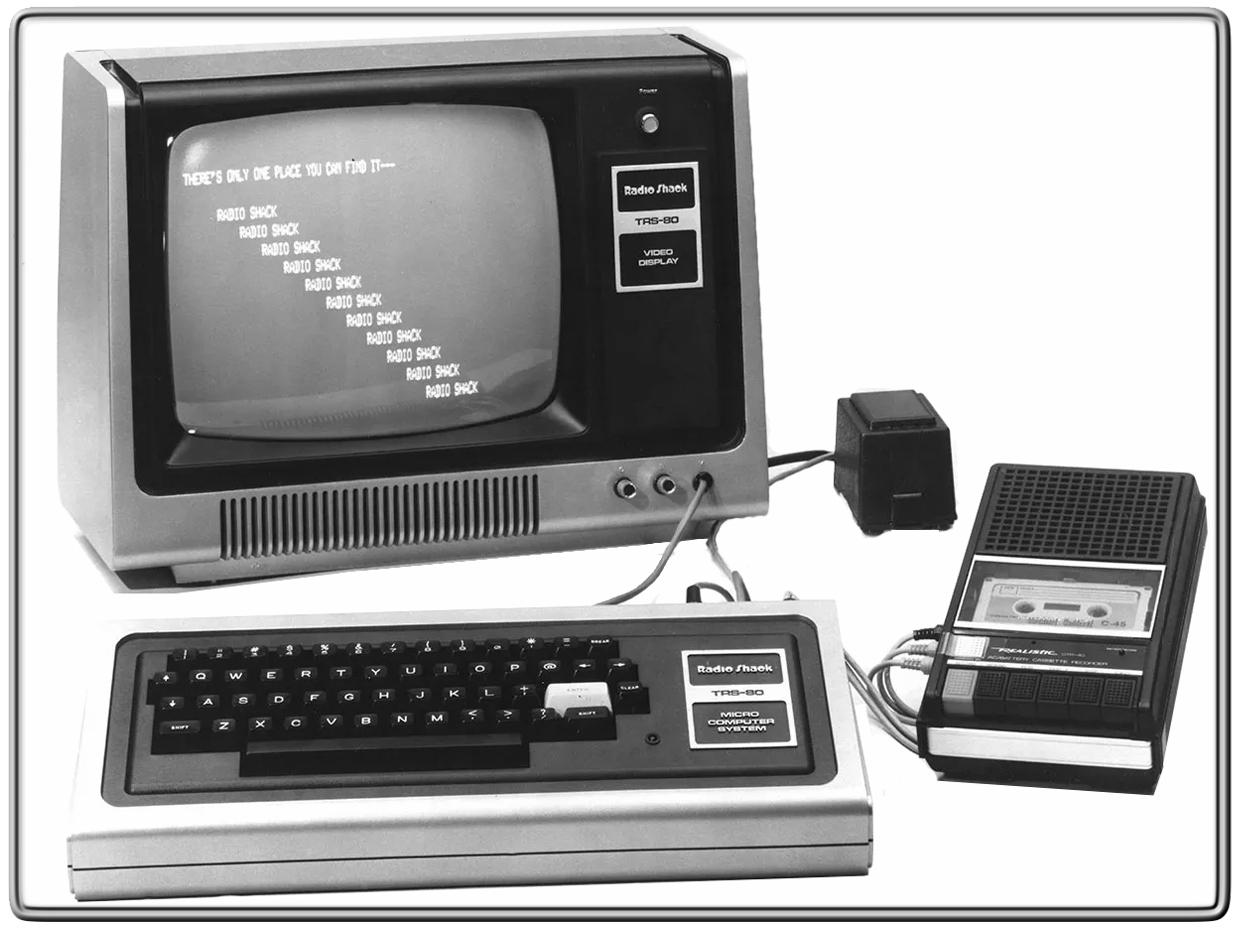
They say you never forget your first… 🎞️ Tandy/RadioShack TRS-80 | 1982. That was the first time I sat down in front of a computer! ⌨️
P.S. Did you know? 💾 The original TRS-80 was nicknamed the “Trash-80” because it caused so much radio interference. If you put an AM radio next to it while a game was loading, you could actually hear the data “singing” through the speakers! 📻🎶
Fast forward to today, and while the tech has changed, the passion for solving problems hasn’t. Whether you’re still rocking a classic or need a 2026 high-speed workstation, for the most experienced Newtown computer services, we’ve got you covered.
What was your “Model 1” moment? Drop your first computer in the comments! 👇
Get in touch: ☎️ Call: 01686 610 106 📱 Text: 0783 222 7823 📍 Visit us: Frolic House, Newtown (Right between the Medical Practice & Driving Test Centre)
If you want to tighten up your parents’ home computer security as much as possible, you’ve come to the right place. After all, you’re no doubt the family IT person, and the first point of contact if trouble arises.
If someone is looking for a new computer system for regular, non-demanding purposes, such as browsing, social media, and email, you can help with recommendations. For such a person, who isn’t invested in heavy gaming, a Chromebook would be a good option, as it will save them some money and can perform all those functions, plus allows them to play browser-based games if needed.
Installing software on a system usually comes with the task of keeping it up-to-date. Therefore, any software program, operating system or browser that has an option to auto-update should be set to do this. We know this isn’t always recommended in a work environment, but for those who just want things to work in their own home, it’s perfect. One less thing to worry about.
In addition, selecting security software that allows users to minimise notifications to only critical warnings will help prevent confusion. Notifications coming from programs can be confusing if you don’t live and breathe tech.
When there are too many pop-ups, notification fatigue sets in, and it’s easy to just click anything to make them go away. Setting software to only flag critical warnings keeps things simple and stress-free.
If you’re dealing with a Windows computer, disable Remote Desktop. Remote Desktop is sometimes used by scammers in things like technical support scams, so if you don’t need it you may as well turn it off. You can do this in Settings. Here’s how to do it in Windows 10:
For Windows 11:
This can keep a lot of harm at bay. Alternatively, make use of security software that includes a web protection module. (We use Malwarebytes for virus and malware removal)
Make sure to configure the home Wi-Fi router and access points with unique usernames and passwords, and do not use the default ones that come with the equipment. Many botnets will attempt to take over such devices by trying default credentials.
There are some other basic settings that can enhance the security of the home router without hindering the users:
A Dutch bank ran a very effective campaign that advised customers to “Hang up, close the tab, and call your bank.” This is very easy to remember and very effective at the same time. Encourage your parents to remember that phrase when they see “urgent” warnings online or get cold calls from Microsoft, their bank, or any other entity that seeks access to personal or financial information. Scammers are experts at sounding friendly and concerned, so it’s a great reminder for parents (and all of us!) that it’s always safest to hang up and verify who you are speaking to directly. The same is true for text and chat messages. Even if the sender claims to be you on your new phone.
We know that sometimes parents can feel a bit conscious about constantly asking their kids for tech help, or they might want a second opinion when they see something suspicious online. Why not save our numbers or pop them onto a ‘useful contacts’ list on the fridge? They can always reach out to us directly when they’re concerned:
Data breaches occur when hackers target organisations, looking to steal data they can sell on the Dark Web. Most data breaches include information like usernames, passwords and email addresses, which makes email security more important than ever. Click on the link below to safely go to Malwarebytes and see if your email is associated with any data breaches, and learn what steps you can take if it is.
| Today is World Backup Day! |
| What, you didn’t know it was World Backup Day? Hmmm, perhaps that’s not a surprise. If there was an award for “most overlooked really important thing in computing”, backups would win. Every year. To get you off on the right foot we’ve got three tips to help you backup your devices. • Make backups – Yes, our first tip really is “make backups”. Why? Because backups are the dental floss of cybersecurity—the thing that everyone knows they should do, that everyone intends to do, that nobody actually does. • Make them automatic – Once you decide that you’re going to make regular copies of your data you are, in all likelihood, going to get bored of doing it and slip up on your rigorous, well-intentioned schedule. Humans just aren’t good at doing the same thing, the same way, every day. But you know what is? A computer. • Make sure they work – If you’ve followed tip two and automated your backups then you can sit back and relax right? Sure, you can. But if you want to know for sure that your backup solution will be there for when you need it most, you need to test it. |
Here’s some of the best virus & malware removal tools, And they are all FREE!
Norton Power Eraser LINK Yes, I’m not the biggest fan of Norton. But this should be your first line of attack if you think your system may be infected.
Kaspersky KVRT LINK Next up would be this Kaspersky tool. Though the company may be under a bit of scrutiny, KVRT is a mighty killer of nasties!
Hitman Pro LINK The third line of attack would be Hitman Pro. Owned by the makers of “Sophos” AV.
(You have to fill out a little reg’ form to access this download, but you don’t have to be too honest!)
Adware Cleaner LINK After Hitman, run this little bit of magic to help cleanse anything that may still be hiding.
Malwarebytes LINK Once all the other scans have completed, Install Malwarebytes as a “Trial” version to give your system one last scan.
One of the best places that I know for Virus Removal tutorials etc is “Bleeping Computer” Click on the link link to take you there: https://www.bleepingcomputer.com/
If after running that little lot you still feel uneasy, give us a shout.
Did you know that you may be eligible for a discounted broadband service?
If you are in receipt of certain benefit’s (like Universal Credit and Pension Credit), you may qualify for a substantial discount on your internet connection.
Here’s a link to a very good article by Which? that could help you save a lot of money!
Article Link: All you need to know about broadband social tariffs: Which?
or copy/paste:
https://www.which.co.uk/reviews/broadband/article/all-you-need-to-know-about-broadband-social-tariffs-awnIU5c9XS7G#full-list-of-broadband-social-tariffs-and-providers
The article has a list of all the suppliers that offer a “Social Tariff”, but even if your supplier is not listed or you are a different benefit to those shown, It’s worth giving your provider a call to ask what help may be available during this cost of living crisis.