Well, you can’t beat the iONZ Dark Ether KZ-V Case as a great starting point for a bit of Tempered Glass & ARGB Bling! A budget-friendly full-size case with plenty of eyecandy. In addition, it has some really nicely engineered features for the user who likes to get under the bonnet. You can find it here on AMAZON or https://amzn.to/3W8EevY
A little note from Bluesdigital: ☕ As an Amazon Associate [bluesdigital-21], I may earn a small commission if you use the links above to grab your case. It doesn’t cost you a penny extra. However, it helps keep the lights on here at the shop—so thanks for the support! 🙌
Paired with a sturdy Ryzen 5 5500GT CPU, 32Gb of Crucial RAM & WD_BLACK NVMe main drive, we should have a very capable all-rounder. This will look after my client’s day-to-day needs. It will be perfect for amateur video/photography work.
Custom Built for Your Creative Flow 🎨✨
Whether you want a PC that glows with RGB “bling” or a stealthy powerhouse that sits quietly under the desk, we build every machine to your specific brief. Also, from amateur photography to heavy-duty video editing, we make sure your hardware never holds your creativity back.
If you’re looking for a bespoke build or need some expert advice from your local Newtown computer shop, come and see us at Frolic House. We’ll help you pick the perfect parts for your budget and your “bonnet.”
Let’s start your build: ☎️ Call: 01686 610 106 📱 Text: 0783 222 7823 📍 Visit us: Frolic House, Newtown (Right between the Medical Practice & Driving Test Centre)
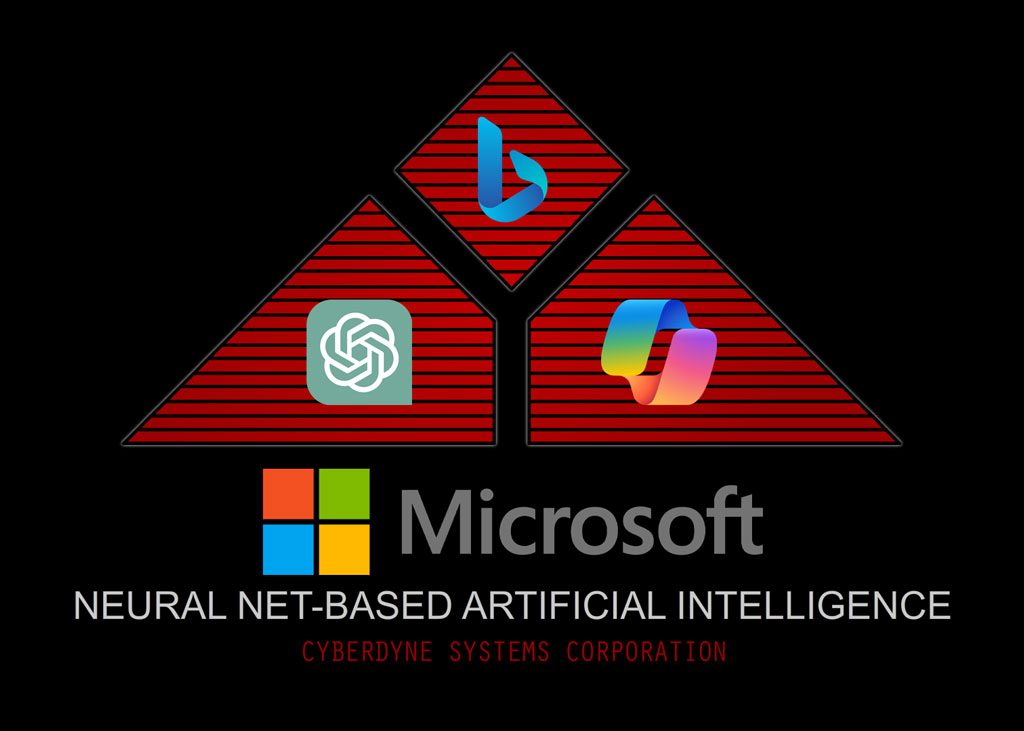
The worlds reliance on Microsoft & other tech giants is causing grief again.
Microsoft’s Bing had some problems earlier today, with results not loading. that seems to be working again, but this outage also appears to still be affecting Bing’s application programming interface (API), which means that other services that rely on Bing aren’t working properly.
DuckDuckGo and Ecosia, two alternative search engines that rely on Bing’s search results, aren’t returning any search results right now. Microsoft Copilot isn’t loading either. ChatGPT Plus subscribers, who have the ability to perform web searches, also get an error when they try to search for something too.
I’m also wondering if DPD’s tracking uses Bing, as that’s up the shoot too.
Oh dear….
🛠️ Your Local Tech Safety Net
While we can’t fix Microsoft’s global outages, we can make sure your own home or business setup is as resilient as possible. If you are tired of “dodgy” connections, spinning loading wheels, or tech that just doesn’t play ball, come and see us.
From clearing out software gremlins to building custom PCs that don’t rely on “the cloud” for every little thing, we are your go-to computer shop in Newtown. We provide expert, honest advice to keep you running, even when the tech giants are having a wobble.
Get your tech back on track: ☎️ Call: 01686 610 106 📱 Text: 0783 222 7823 📍 Visit us: Frolic House, Newtown (Between the Medical Practice & Driving Test Centre)
Folk’s quite often ask “What’s the difference?” with the main drive in your computer. The three main types you’ll hear about—HDD-SSD-NVMe—all offer a heck of a lot of difference in terms of performance!
Up until around 5yrs ago, the Mechanical HDD (Hard disk drive) was the standard type of drive in most peoples computers.The speed of these had not really gone past the 100mb mark, but were reasonably cheap & reliable enough.
The very sturdy WD Black HDD.
Then the SSD (solid state drive) arrived. With speeds now up to 500mb or so, this was a very large step in consumer computer performance. Boot up times were down to a few seconds, and even a low powered machine really benefitted from upgrading.
My SSD of choice, the Samsung EVO range.
Now we have moved on to the latest generation of storage, NVMe drives. Speeds are now measured in the 3-7000+mb range, helping us to run loads of things at the same time without impacting performance.
It’s a bit of a Grumpy Old Man topic, but the “Subscription” based revenue stream explosion over the last few years, kinda grinds my gears. The best deals are pretty much always for new subscribers, leaving current customers of anti-virus subscriptions to pay full whack or more!
My latest grump is with AVG and their Anti-Virus Subscription
A good customer of mine has been with them for many years, and she is currently paying £160 for a two-year subscription. It’s bad enough that they prey on the nervous by bombarding them with pop-ups, employing scare tactics about “Hackers” and the like attacking them, so that they can upsell even more doubtful security “add-ons”. Shame on you, AVG. You used to be so good.
What I would advise is buying a non-subscription version from a friendly computer shop or Amazon. That way, you get the best price, and they don’t have your card details to “Auto-Renew”
My personal fav’s are:
1: Malwarebytes
2: Kaspersky
3: BitDefender
🛡️ Take Control of Your Security (and Your Wallet)
Don’t let “big tech” scare you into paying over the odds. If your anti-virus is constantly pestering you with pop-ups or your subscription feels like a ransom, it’s time for a change.
As your local computer shop in Newtown, we believe in honest security that protects your PC without draining your bank account. We can help you ditch the expensive “auto-renewals” and get you set up with a reliable, straightforward security solution that puts you back in the driving seat.
Pop in for a Security Health Check:
Fair Pricing: We’ll help you find the best protection without the hidden “loyalty tax.”
No Pressure: We give you the facts, not the scare tactics.
Local Support: If you have a question, you can talk to a real person, not a bot.
Visit us at Frolic House: ☎️ Call: 01686 610 106 📱 Text: 0783 222 7823 📍 Find us: Frolic House, Newtown (Between the Medical Practice & Driving Test Centre)
We’ve all faced those stress moments: a stubborn computer tempts us to give it a “gentle nudge”—only for that nudge to make things worse! Technology shines until it fails, and a dropped broadband connection or a power cut can halt your entire day.
I recently called a client to invite them onto our “Community” page.
They greeted me with a shocked, “How did you know???”
They had struggled to start their office computer and finally gave it a sharp slap! In an instant, the power died and the broadband vanished. It turns out the router sat right on top of the PC; the owner had knocked it straight into the main power switch, killing everything!
Be nice, or they will assimilate us…..
At Bluesdigital, we’re here to take that frustration away. Whether it’s a simple cable fix or a deep system recovery, we get you back to work quickly and calmly.
Your Reliable Digital All-Rounder 💻✅
As your local experts for computer repairs in Newtown, we specialise in PC diagnostics and troubleshooting. We don’t just fix the hardware; we ensure your setup—from routers to software—is stable and reliable so you can focus on what you do best.
Need a hand getting your office tech back in sync? Or perhaps some professional printing in Newtown to get your next project moving? We’ve got you covered.
Let’s keep things running smoothly:
Expert Troubleshooting: Fast fixes for PCs, laptops, and networking.
System Stability: Ensuring your tech setup is robust and reliable.
Local Print Services: High-quality results for businesses and the community.
Visit us at Frolic House: ☎️ Call: 01686 610 106 📱 Text: 0783 222 7823 📍 Find us: Frolic House, Newtown (Between the Medical Practice & Driving Test Centre)
As we all know, It’s a total pain when your computer stops working. But this is when you find out if the warranty that comes with it is any good.
Yesterday I saw three examples of how claiming on a warranty can be very different.
Case #1 : a client dropped by with a desktop pc that he purchased from me just over a year ago. He advised me that after a “Windows” update, it was now failing to boot up.
As is quite often the case when people have struggled to get a computer started, I plugged it in & it started first time!
Turns out it was a windows update that had failed, causing the problem. There’s so many reasons this can happen, but a quick disk cleanup & optimisation of the SSD usually gets things rolling again.
15min’s work, no charge, happy customer!
Case #2 : Next was a lady with a laptop that was also not starting, along with some unpleasant beeping. Some months ago she had contacted me for advice on what to look for in a refurbished laptop.
She settled on a decent little HP Elitebook from Ebay, which was £40 cheaper than one I was selling.
However, when she contacted the seller about the problem, they advised her that she would have to arrange & pay to ship it back to them. They also advised her that it would take 2-3 weeks for it to repaired or replaced.
She grudgingly agreed to return the laptop, but it was only after several calls & emails that it was finally returned, over 5 weeks later.
The problem reared it’s head immediately, and she contacted the seller again & awaited a reply Eventually they responded (after 3 days) & asked her to ship it back once more, at her own cost.
After another 3 weeks without a laptop, it finally turned up, but was still not working, arghhhhhhh!
It was at this point that she contacted me to see if I could help.
As it happens, it was just a faulty memory module. Very easy to diagnose, and as it’s an Elitebook, just 5 min to replace.
10 mins total, £25 (including s/h memory module)
Case #3 : This time it was a Dell laptop that I had supplied 11 months ago. No power, no lights, nothing. A quick test of the power supply & everything became apparent. The voltages were all over the place.
After chatting with the customer, it turned out that her nephew had “Borrowed” her power supply, and sent her a cheap replacement “Off the Internet”
Once I plugged in a decent power supply, it booted first time.
So i guess the moral of this story is: Beware the “Bargain” & “Shop Local” for good customer service.
A client I’ve not seen for a while just called to ask if I could back-up her “Lightroom” Files to an external drive. If everything runs well, this should take 30>60min…
As it turns out, the laptop is running VERY SLOWLY. With it taking over 10 mins to fully boot up, and Lightroom taking another 5-10, this is going to be a bit of a slog.
The first file to save is the “Catalog” file via Lightrooms own back-up utility, as just copying the file from the system can lead to errors later.
Then it’s time to make a copy of everything else. At nearly 500Gb in size & a transfer speed of 5-20Mb, we are looking at 5-6hrs!
With the state of the laptop, getting this data copied was urgent, as a failure would be horrible for my client.
The fastest way to transfer data in this case would be to remove the drive and use a direct SATA connection, for grabbing the files.
Now it’s averaging 50-120Mbs, e.t.a about an hour or so. But still kind of slow (Cheap n cheerful ADATA..Hmm).
Once that has completed, rebuilding the laptop… While I’m doing that, I’ll move the files over to my clients external drive at a steady 90Mbs (1hr 25min.)
Quick check that it’s booting okay,before screwing the case down. “Preparing Automatic Repair”, “HP System Bios Update Failure”, Oh Dear.
Looks like I’ll be on the late train, as usual 🙂
The client has advised me that she’s looking to replace this laptop, so I’ve sent her an example of what to look for in a good photo editing computer. (i7/Ryzen7 cpu, 32Gb DDR4/5 ram, 1Tb NVMe-SSD)
But with a new SSD & maybe a memory upgrade too, refurbishing her old laptop may be a better option, as it’s got great graphics & decent CPU…..
🛡️ Saving Your Data When Seconds Count
What looks like a “quick back-up” can quickly turn into a data recovery mission. When a laptop slows to a crawl, it often signals that the hardware is on the brink of failure.
Don’t wait for the “Automatic Repair” screen to appear. If your laptop feels sluggish or struggles with heavy tasks like photo editing, secure your files.
Reliable Tech Support & Professional Print 💻🗄️
At Bluesdigital, we specialise in laptop data recovery and SSD upgrades in Newtown. We don’t just suggest expensive new replacements; often, a professional refurbish—upgrading your RAM and moving to a lightning-fast SSD—can make your current machine outperform a brand-new budget model.
Whether you need to save years of photos or require high-qualitybusiness printing in Mid-Wales, we provide the technical grit to get the job done right.
Is your tech underperforming?
Data Recovery: We rescue files from failing or slow hard drives.
Refurbishment: SSD and RAM upgrades to give your old PC a “supercar” feel.
Buying Advice: We help you find the right specs for demanding tasks like Lightroom.
Visit the experts at Frolic House: ☎️ Call: 01686 610 106 📱 Text: 0783 222 7823 📍 Location: Frolic House, Newtown (Between the Medical Practice & Driving Test Centre)
Time for another Custom PC Build…. Gamer PC… fun! General office work during the day, whilst commanding battalions & mystical beasties after hours. As there’s no need for absolute cutting-edge performance, we can use some of the best last-gen components to get a lot of power at a reasonable cost.
The inherent stability of components that are tried & tested, versus the troubles associated with the latest tech, leads to a long & stable service life. (This machine comes with a 5 year warranty as standard, or 10 years as an option!)
My Friday treat from “LionBites” has arrived, Coffee is brewing, so time to crack on!
Right, Let’s have a look at the parts list:
HCS HellCracks Midi Case: Great value case from HellCracks to house it all, and rather neat looking too.
ASRock B550M-HDV Motherboard: A solid workhorse of a motherboard from ASRock. On it’s 3rd generation, so it’s a bloody stable & fast chipset, without the any excess frills.
Ryzen 5 5600X CPU: Rated “The Worlds Best 6-Core Processor” a couple of years ago, Who am I to argue?
WD BLACK SN850X 2TB Gen4 NVMe (7300 MB/s): Absolutely blazing fast primary drive for this kind of build. Great warranty & support from WD as always.
Kingston Fury 3600MTs 32Gb RAM Kit: Some well cooled, very hi-spec RAM to help things along. Nicely over engineered & built to last.
Zotac RTX 3060 12Gb Graphics Card: Class leading 12Gb of GDDR6, And loads of Tensor/Ray-Tracing Cores for battling visuals.
Corsair CV650 80 PLUS Psu: Another no-frills rugged Power Supply from Corsair. Plenty of amps in reserve, and every cable you could ever need in a nice heavy PSU.
Official Microsoft Windows 11 Pro
Along with Office 2021 Pro Plus
Now for the build….
Clear the desk…
Kettle on…
Last few bits arrive!
Here goes
Off with the CPU Cooler brackets that came with the motherboard. They won’t be needed with the AMD Wraith, supplied with this CPU.
In with the Ryzen CPU now.
Then the Cooling fan & Heatsink.
After that, Clickety click goes the RAM
Inserting the NVMe SSD.
Tidy!
Sort out the motherboard stand-off’s into the correct position for this little “MATX”
Gently does it….
And we are in.
Flip it over…
In with the PSU.
Will tidy that wiring after initial testing, I Promise….
Told Ya!
IT’S ALIVE
Testing, Testing
Cable Tie, Cable Tie..
Done.
Newtown’s Home for High-Performance Gaming 🎮🔥
At Bluesdigital, we are the perfect choice for custom gaming PCs in Newtown. Forget the flimsy, overpriced laptops from the big chains; we build rigs with proper airflow, cable management, and room to grow.
From PC health checks to ensure you aren’t dropping frames, to full custom water-cooled builds, we make sure your hardware never lets you down in the final boss fight. And if you’re a local streamer or esports fan, don’t forget our Newtown printing services for custom posters, stickers, or merch to brand your channel!
Gear up for the win:
Custom Rigs: Tailored specs for 1440p gaming and beyond.
Component Upgrades: SSD and RAM boosts to cut your load times in half.
Rock-Solid Stability: Expertly built, cable-managed, and stress-tested in-house.
Start your build at Frolic House: ☎️ Call: 01686 610 106 📱 Text: 0783 222 7823 📍 Find us: Newtown (Between the Medical Practice & Driving Test Centre)
Had a client in the other day with a VERY old windows XP Machine.
The hard drive was very noisy, and it was generally in a rather poor state, taking ages to boot up after many attempts.
I did an immediate backup of his files, photo’s & documents, in case the HDD gave up the ghost. It took ages, as the HDD really was on it’s last legs, but a few hours later, everything was safely backed up to a memory stick for him…Phew.
After sorting the failed graphics card out, and a few other bit’s n bob’s, it was back up & running again, starting first time every time.
He asked how much a new PC would be, and I saw his face drop. Things are pretty tight for him at the moment, as they are with us all these days, so there was no way he could really afford to replace the machine.
As a self-employed chap, with only quite basic office/photo requirements, there’s no need for bells & whistles.
I had a this solid little HP Pc in for recycling the other day, after a local digital artist upgraded to a custom built Photoshop beasty to help with her growing workflow demands. As it’s a Windows 8 machine, it’s the perfect candidate for refurbishment, and far too good to be scrapped.
After removing the Artist’s hard drive and returning it to her for security & peace of mind, I set about getting it up to modern standards.
First off: Cleaning out the airways & power supply, so it can breathe properly. The former owner is a cat lover, and it showed! However it was not too bad, and the first stage of cleaning was completed in a few minutes.
Next up, before going any further is testing the power supply with my trusty old Antec gadget. It’s looking a bit worse for wear these days, but still does the job well, (bit like me I suppose…)
Now that I knew it was electrically safe & sound, it’s time for some hardware upgrades. The original spec had only 6Gb of RAM, which was fine back in the day, but just won’t cut it now.
Out with the old….
& in with 16Gb of repurposed memory.
Then it’s time for a fresh CMOS/RTC battery & some fast storage, with a brand new SSD. There are some rather cheap & nasty drives about, but a decent branded one like the Lexar is literally just a few quid more, and has a decent 3 year warranty too.
After a final clean-up in the case, it’s time to plug everything in & get Windows installed. As it was originally a Windows 8 machine, it will happily upgrade legally, as the licence is locked to the motherboard.
In with the stick (using the faster USB-3 sockets on the front to speed things along nicely)
Then into the “Bios” to make sure everything is setup correctly.
After that’s saved,
it’s back to the boot menu.. to select the USB drive with the Windows 10 installer,
and we are away!
As the licence/activation key is tucked away out of sight in the Bios, and not on a sticker on the case, click the “I don’t have a product key” option for now. (It will automatically activate once the computer is connected to the internet later, so don’t panic)
Then select the correct version of Windows that matches the built in licence (in this case Windows 10 Home)
Accept the licence terms,
Choose “Custom: Install Windows only (advanced)”,
Then we get to the “Where do you want to install Windows” screen.
If the HDD/SSD you were using had an operating system already on it, and you don’t need to save any data. Highlight each partition and click delete until it looks like this pic. Then select “Drive 0 Unallocated space” & click next.
Once that stage is done, the machine will restart automatically.
After selecting your language & keyboard settings, a username & password (not really required), you’ll eventually get to the Windows desktop, Yay!
Time to hook up your Ethernet cable / Wi-Fi and get those updates rolling.After all updates are completed, and you have set your browser up etc.It’s time for a “Disk Clean-up” & Drive Optimisation.
Down Tools….
And Insert Coffee!
DONE.
Now we have a perfectly capable little machine, that should serve my client well for a few years, for just £150.00 with a 12 month warranty.