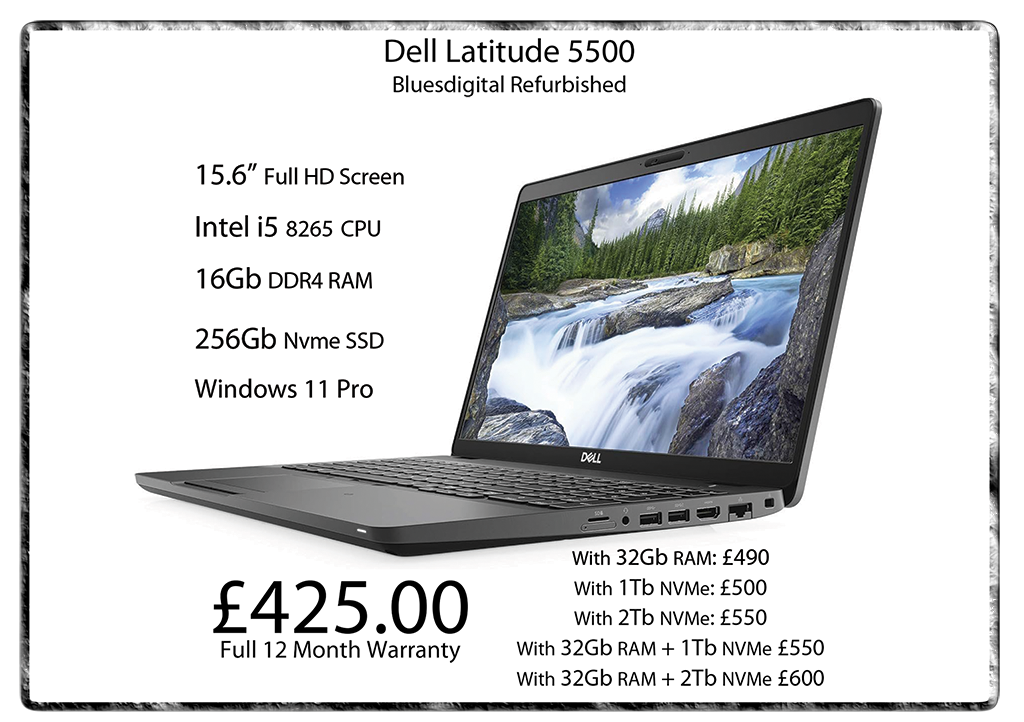
You may have noticed some changes to our website — including our new pick-up and drop-off service! No more taking time out of work, family, or leisure to get your PC or laptop running smoothly. Just pick a time, and we’ll handle the rest — safe, fast, and hassle-free.
I’ve had three calls & a couple of messages about this very topic today. It’s only just after 1pm at time of writing!
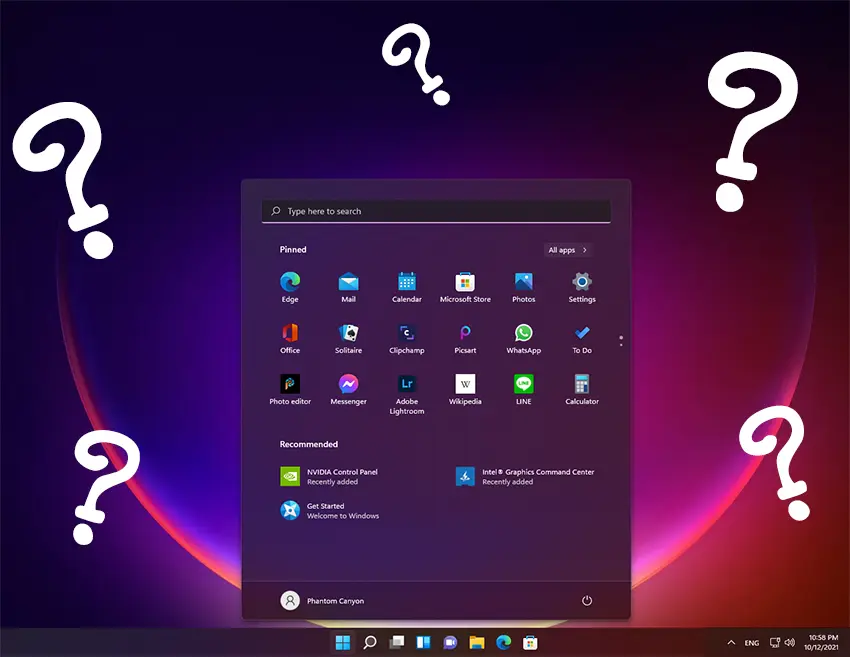
Thinking about giving your old laptop or desktop a new lease on life with Windows 11? It’s possible—but with a few important caveats.
System Requirements Matter
Windows 11 has stricter “OFFICIAL” hardware requirements than previous versions. At minimum, it requires:
A 1GHz or faster processor with 2 or more cores (64-bit) (We Recommend: Intel i5+ or AMD Ryzen 5+)
4GB of RAM (We Recommend: 8gb min, preferred 12-16gb+)
64GB of storage (We Recommend: SSD not older mechanical drives, 128gb absolute min, preferred 240gb+)
UEFI firmware with Secure Boot
TPM version 2.0
A DirectX 12-compatible graphics card
For many older pc’s — especially those made before 2017—the TPM 2.0 and Secure Boot requirements can be deal breakers. If your device doesn’t meet these, Windows 11 will not install the official way.
Workarounds Exist
Microsoft allows a workaround for unsupported hardware. Though it’s not recommended for basic users, you can create a bootable USB using tools like Rufus. Alternatively, you can modify the installation media to skip TPM and CPU checks. But be aware: running Windows 11 on unsupported hardware MAY prevent updates and lead to stability or security issues. However, this has never been seen in previous versions of Windows. It is easily mitigated by using a DECENT anti-virus program to look after your interests.
Should You Upgrade?
If your old laptop meets the specs—or you’re tech-savvy and want to experiment—it can be a worthwhile upgrade. Otherwise, you might consider sticking with Windows 10 (OFFICIALLY supported until October 2025). In reality, it is perfectly safe for the average user for at least another 3-4 years, with good security in place.
Bottom Line
Yes, you can put Windows 11 on an old computer. However, whether you should depends on your device’s specs, your comfort with tech, and what you expect from the upgrade. Please don’t let the scaremonger tactics & misinformation force you into a possibly unnecessary purchase. Creating more tech e-waste/landfill for a perfectly viable & sustainable machine is avoidable. If you want to get your machine checked out for upgradeability, give us a shout. Alternatively, bring your computer in for a FREE diagnosis & honest opinion.
For more computer services, pop in to see us at Frolic House ( between Newtown Medical Practice and Driving Test Centre ) | Call 01686 610 106 | Message 0783 222 7823
Had a couple of calls about folks not being able to make a shortcut as easily in Windows 11 as it was in 10 or 7. Now that a lot of “Apps” are being delivered via Microsoft Store, the old “Right Click” and send shortcut to desktop does not work for these and other built-in Windows apps. Some you can still use the right click option of “Open File Location”. With this, you can make a shortcut from there. However, that option is also being phased out. This leaves us shortcut junkies without a desktop full of icons!
There’s a couple of easy ways to access the main Applications folder in 11, where everything is hiding. Open “File Explorer”, “Computer” or any folder on your pc and type shell:AppsFolder in the address bar & hit enter.
Or… Hold down the Windows key+R then type shell:AppsFolder into the Run window and click Ok. Then you will be able to make a shortcut for any program on your PC.
How to Create a Shell:AppsFolder Shortcut :
You can also create a Shell:AppsFolder shortcut to easily open the Applications folder to view all apps on your Windows 10/11 computer. Right-click on the Desktop and select New -> Shortcut. In the Create Shortcut window, type Explorer Shell:AppsFolder and click Next. Type a name for the shortcut like Apps or Applications and click Finish. This will create a shortcut for the Windows Applications folder. Then you can double-click on the new shortcut to open the Applications folder to view all apps in your system.
For more computer services, pop in to see us at Frolic House ( between Newtown Medical Practice and Newtown Driving Test Centre )| Call 01686 610 106 | Message 0783 222 7823
As our lives become more digital, our computers (Yep, Mac’s Too) are prime targets for malicious software. Investing in a professional virus removal service is a smart move. Here’s why:
Protect Your Data and Privacy
Viruses can steal passwords, financial info, and personal files. We detect and eliminate these threats, keeping your data safe from harmful viruses.
Boost System Performance
Malware can slow your Computer, cause crashes, and disrupt functionality. Professional virus removal restores speed and reliability, ensuring your system is virus-free.
Prevent Future Infections
Our service can include protective software and guidance on safe browsing, reducing your risk of future attacks and helping maintain a virus-free environment.
Save Time and Money
DIY removal is risky and time-consuming. At Bluesdigital, we handle those pesky troublemakers efficiently, providing virus removal that saves you time and money.
Peace of Mind
With your Computer running smoothly and safely, thanks to effective virus removal, you can kick back and chill a little more.
Unlocking Potential: How Bluesdigital is Here to Help You Thrive
In today’s fast-paced digital landscape, having a reliable partner can make all the difference. At Bluesdigital, we pride ourselves on being that partner for businesses & individuals looking to enhance their online presence and drive growth. Our commitment to helping our clients succeed is at the core of everything we do.
Tailored Solutions for Every Need
We understand that every client is unique, which is why we offer customised solutions that cater to your specific needs. Whether you’re looking for Computer Equipment, web development, digital marketing, or e-commerce solutions, we are dedicated to providing strategies that align with your goals. We take the time to listen and understand your challenges, ensuring that our solutions are not just effective but also relevant.
Expert Guidance and Support
Navigating the digital world can be overwhelming, but you don’t have to do it alone. We are here to guide you every step of the way. From initial consultations to ongoing support, we are committed to being a resource you can rely on. Our goal is to empower you with the tools and knowledge you need to make informed decisions and achieve lasting success.
Need Proper Digital Business Support in Newtown?
Don’t let a dodgy website or outdated kit slow you down. At Bluesdigital, we’ve spent years helping locals turn tech headaches into growth. Whether you need a fresh e-commerce site or a fleet of reliable laptops, we provide the tools to help you thrive.
No jargon, just honest advice and results that speak for themselves.
Shout if you’re ready to start.01686 610 106 | 0783 222 7823Frolic House, Newtown
Fancy some serious gaming power at a VERY reasonable price, backed by the infamous Bluesdigital 12 Month Warranty?? A refurbished Ryzen 5 gaming PC might just be what you’re looking for.
This Ryzen 5 Based little black box should tick all the boxes from just £400.
Originally built by us, with top spec components, as usual!
Tech info: Ryzen 5 2600 cpu 16Gb 2933MHz Corsair DDR4 ram Crucial P3 1Tb NVMe SSD Corsair VS650 psu MSi B450M Pro-M2 mobo Thermaltake Versa H15 window M-ATX case Windows 11 Home
With GTX 1050 Ti £400 or With GTX 1660 Super gfx card £500
For more computer services, pop in to see us at Frolic House ( between Newtown Medical Practice and Newtown Driving Test Centre ) | Call 01686 610 106 | Message 0783 222 7823
We are excited to be introducing Bluesdigital Workshop as a place where we create truly unique custom computer cases. We’re not just building cases; we’re crafting items that blend nostalgia and nature into functional art. Whether it’s repurposing parts from an old favorite car or bike, or using natural materials like wood and stone, we create pieces that are both personal and extraordinary.
Our first creation, The Slate One, is a case made from authentic Welsh blue-black slate. With its riven outer face, and chamfered edges, it brings the majesty of Welsh nature right to your computer desk.
If this idea sparks your interest, we’d love to hear from you.